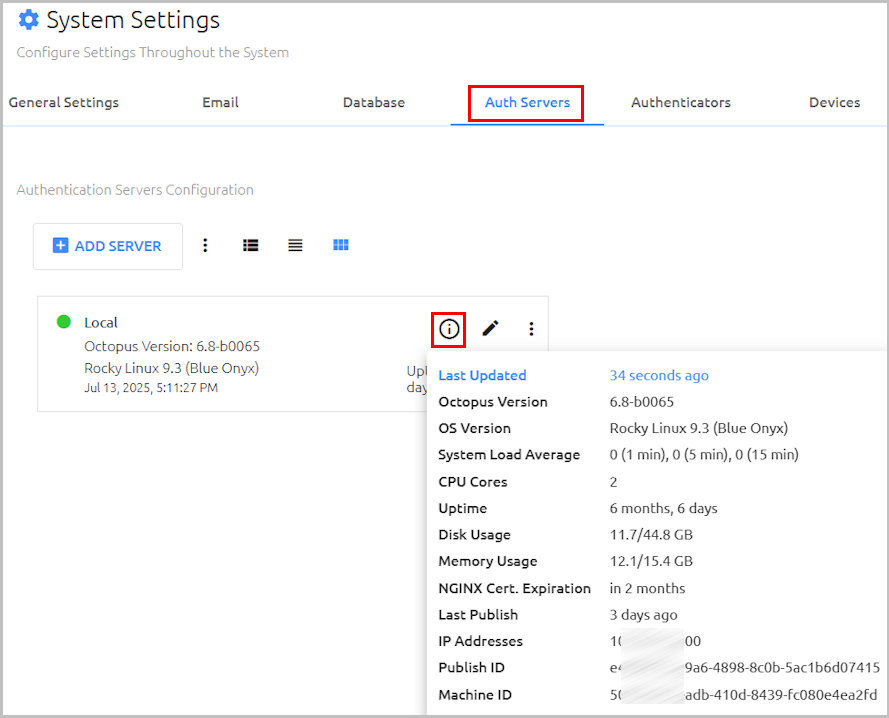
If you suspect that Octopus Authentication is not functioning properly, you may want to perform the server health checks listed below. Keep in mind that you can also view detailed data about a selected Authentication Server in the Octopus Management Console (System Settings > Auth Servers).
OS version and packages:
sudo uname -a
sudo hostnamectl
OS packages installation:
yum install net-tools
The following checks are applicable for CentOS:
yum install epel-release
sudo rpm --query centos-release
Running processes:
ps -ef | grep sdo
sudo top
sudo systemctl status
Network configuration:
sudo ip addr
Machine memory and partitions:
sudo df -k
sudo free -h
Machine’s log trace:
sudo journalctl -b
Firewall daemon status and port-table:
sudo systemctl status firewalld
sudo firewall-cmd --list-all
Security Enhancement (SELINUX) configuration:
cat /etc/selinux/config