Refer to the following guide to enable local user support for non-domain joined workstations.
Workstation Preparation
1. Download and install the MSI Updater for the latest Windows Agent
2. When creating the MSI package, be sure to check the "Local User Support" box in the Settings tab: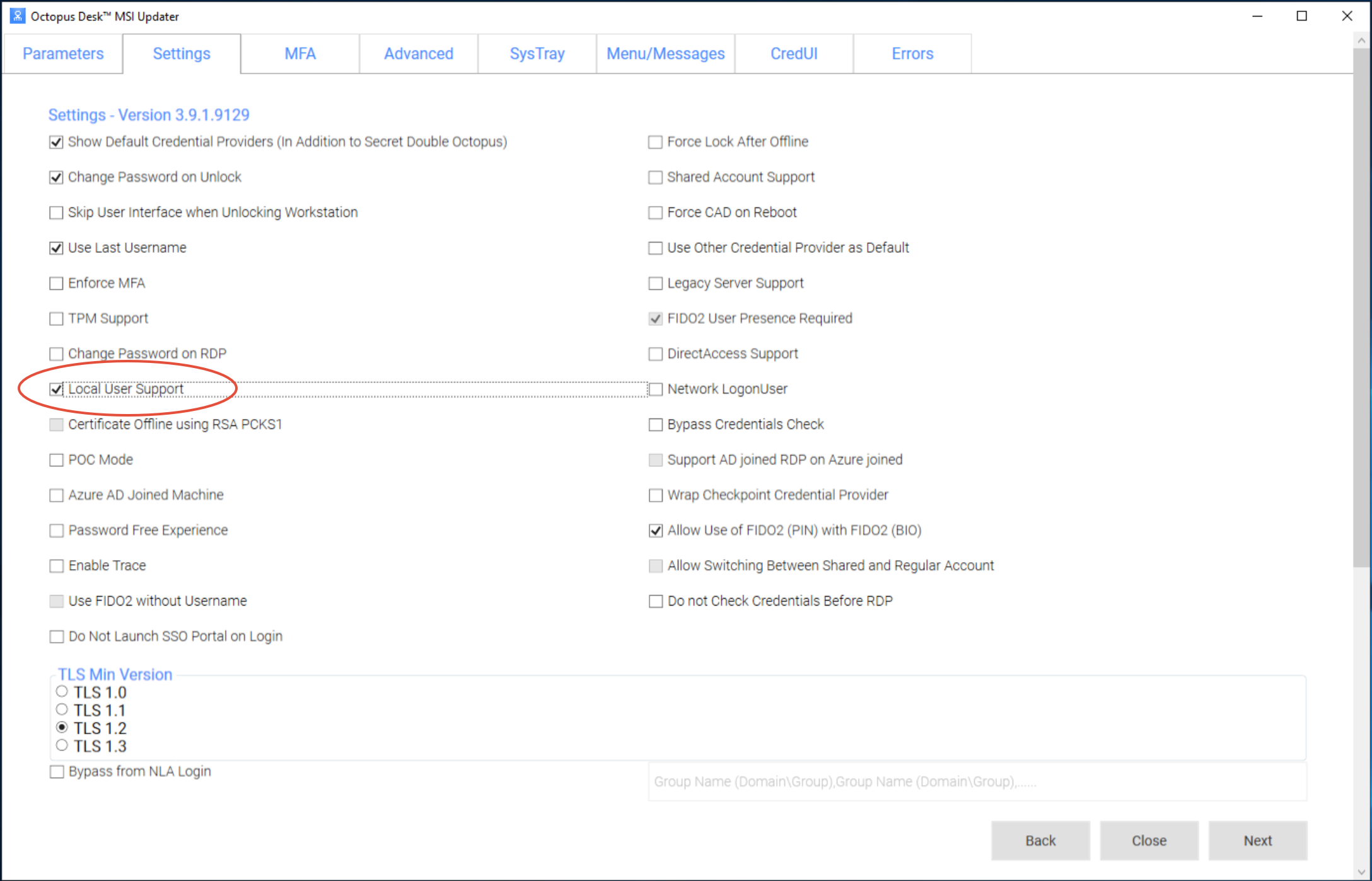
Log off of the workstation for this to take effect
3. Open Local User and Groups Manager by opening Run (Win+R) and type lusrmgr.msc: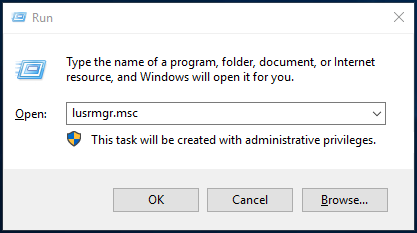
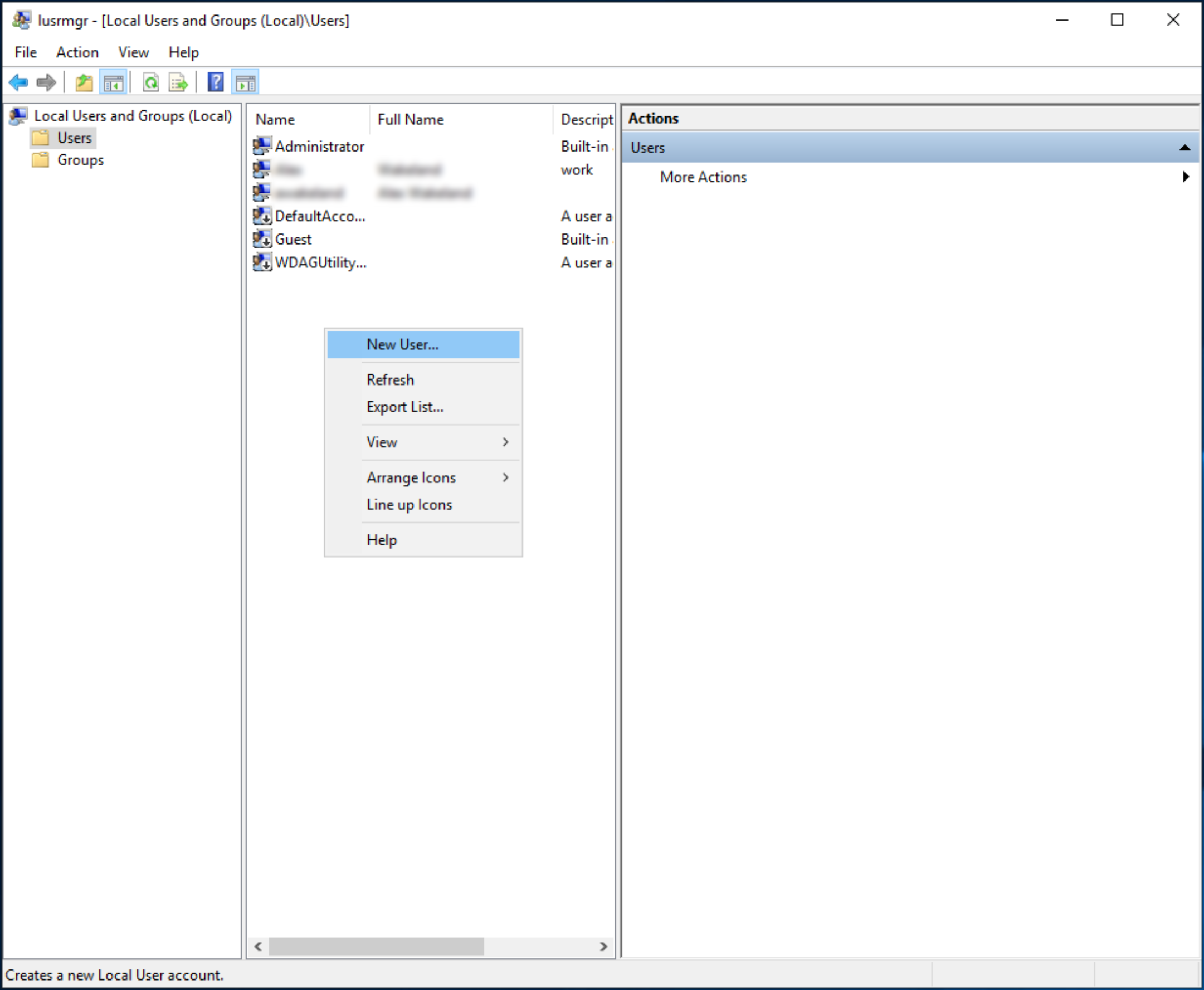
4. Create a new local user (right-click User folder and select New User...)
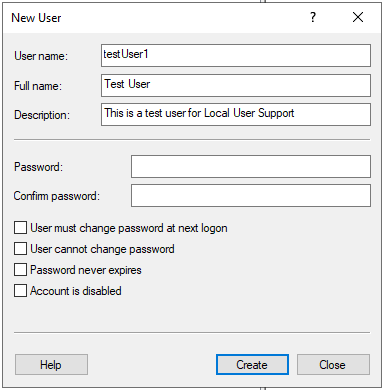
5. Fill in the information, full name and description are optional
- the "User must change password at next logon" box has no effect
Management Console Preparation
1. In the Management Console UI, navigate to Directories and edit the directory you would like to use. On the Details tab, change the Local User Mapping field to any parameter you would like. In this case, we will use Alias 5: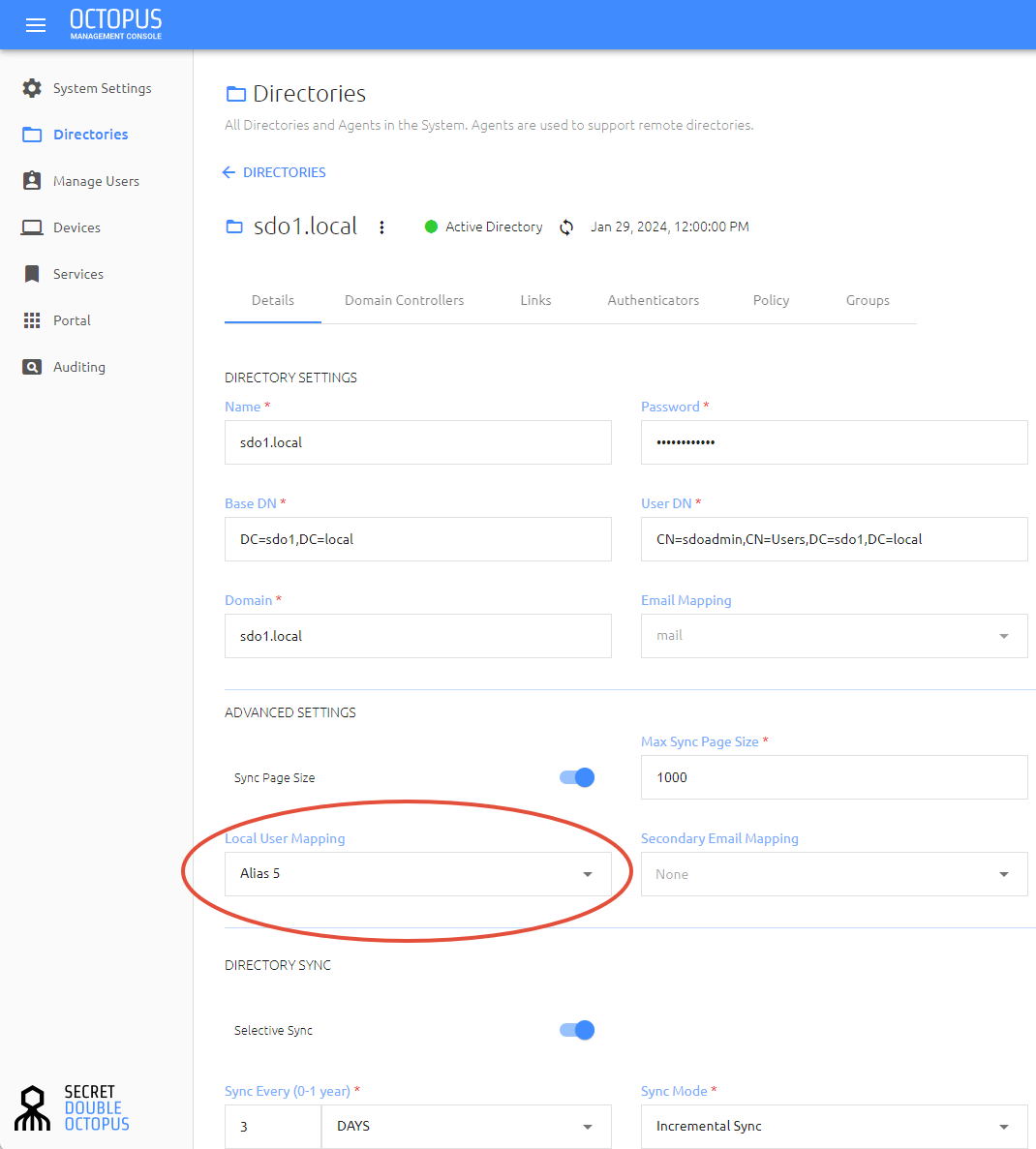
Save and publish your changes
2. Go to Manage Users and edit the user utilizing Local User Support. On the Personal tab, add the username of the local account created on the workstation in the appropriate Alias (click the "Add Alias" button to add more fields if you don't see your selected Alias):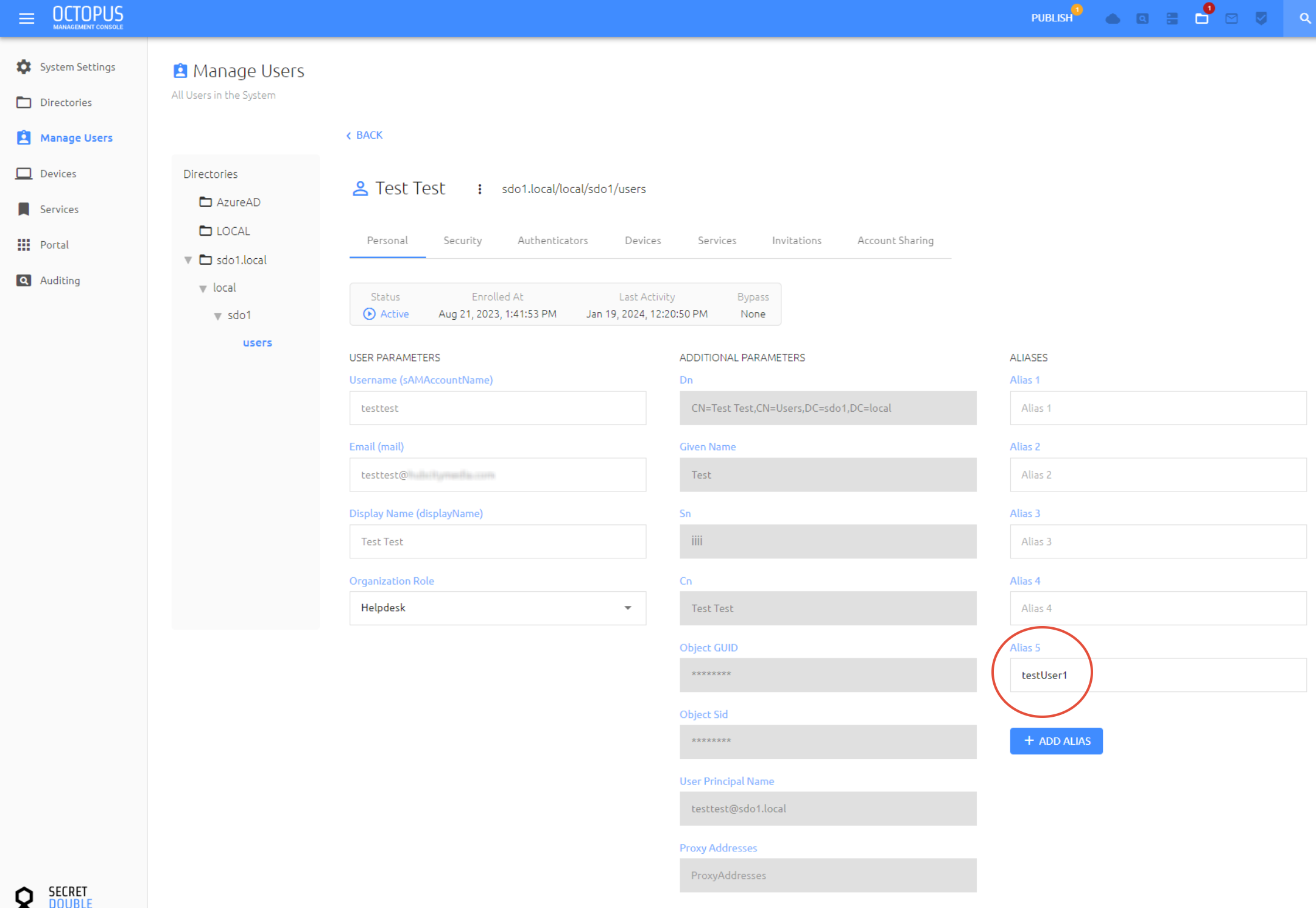
Save and publish your changes
3. Verify the required parameter(s) accepted by your AD Service in the Management Console by navigating to Services > AD Service > Parameters. From here, check which parameters are accepted: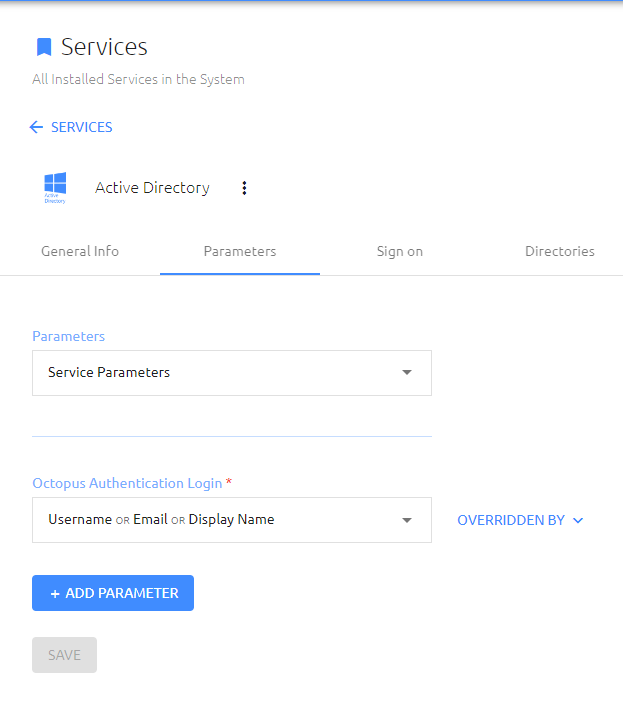
If the default parameters are overridden by your directory, change the Parameters dropdown box to the appropriate directory, or click the "Overridden by" button on the right of the parameters and check: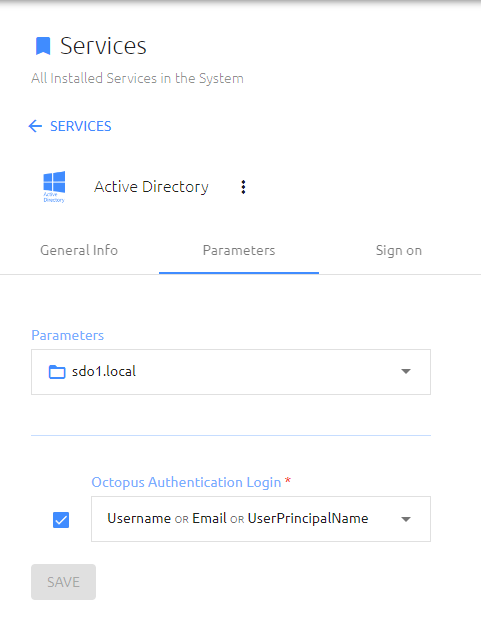
Logging in
1. Enter the local user's username into the User Name box, select Octopus App from the dropdown, and enter the appropriate parameter associated with their AD account that's accepted by your AD Service (in this case, email):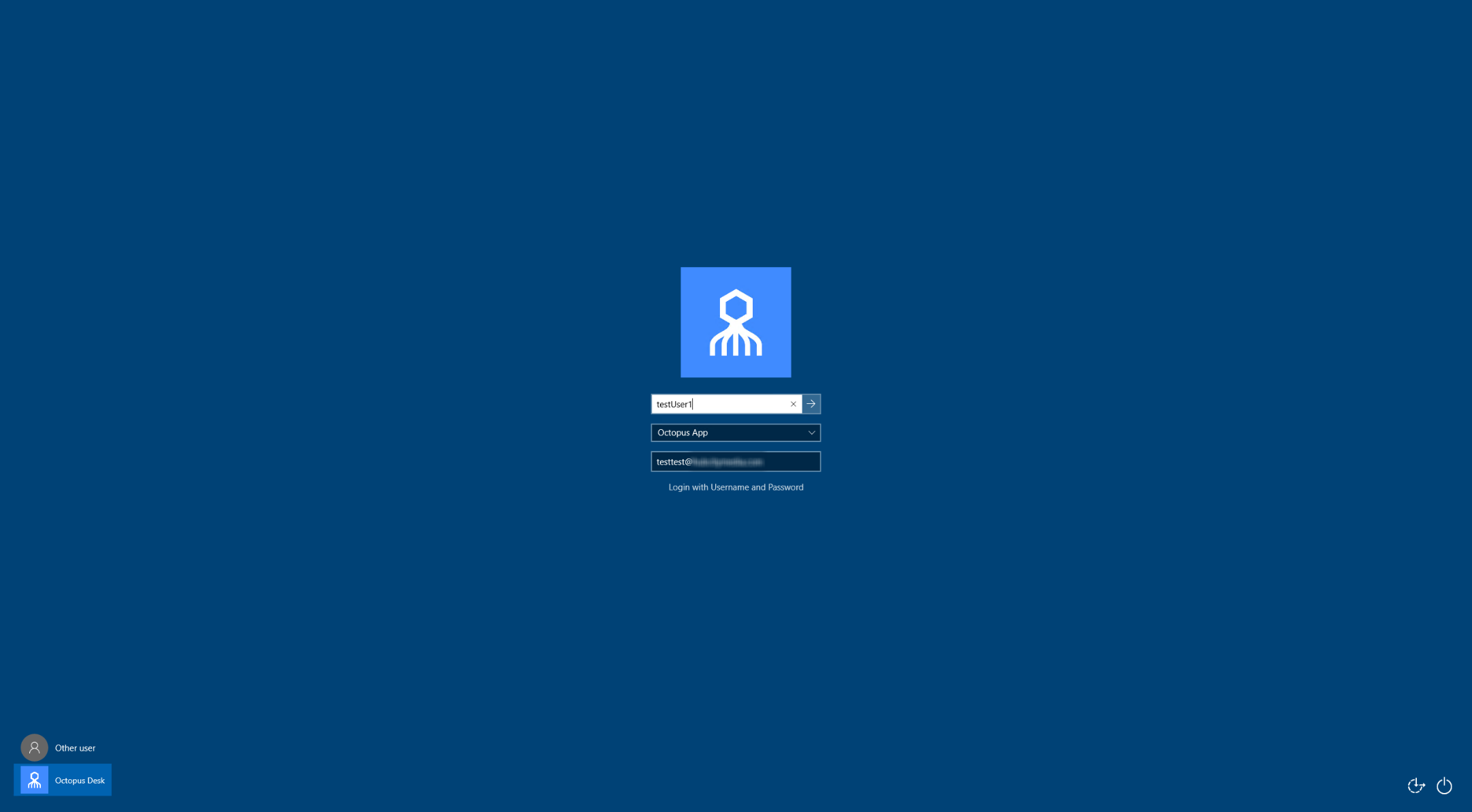
2. The user should receive a push notification. First time login will require a pin to be entered from the Octopus App: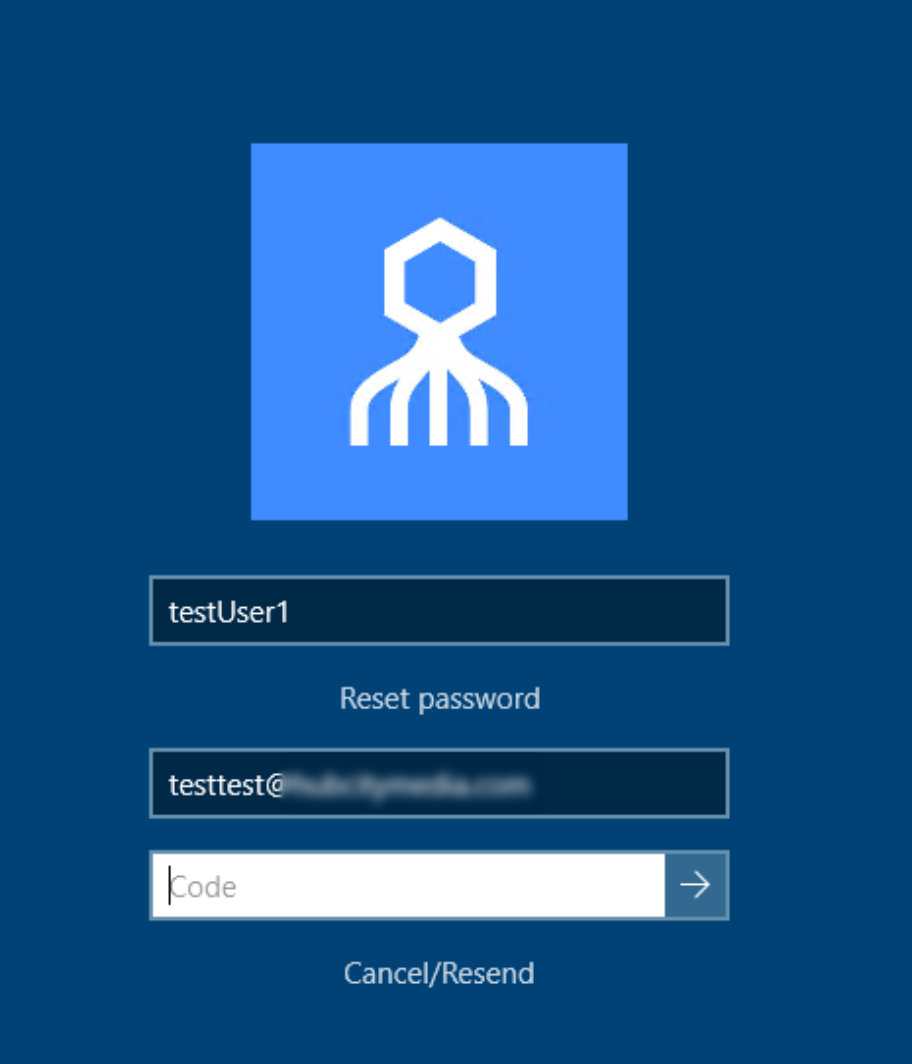
User now has local user access to a non-domain joined workstation