Overview
To allow the Octopus Server to manage passwords (rotate, change, and reset) for users in Active Directory (AD), the service account must connect over LDAPS and have sufficient permissions.
Many organizations prefer not to grant full Domain Admin privileges. This article explains how to delegate the minimum required permissions using Active Directory delegation.
This guide describes the permissions required for a standard user account to perform password operations in AD.
Instructions
- Create a standard user account in Active Directory.
- Launch the Active Directory Delegation Wizard and select the newly created user.
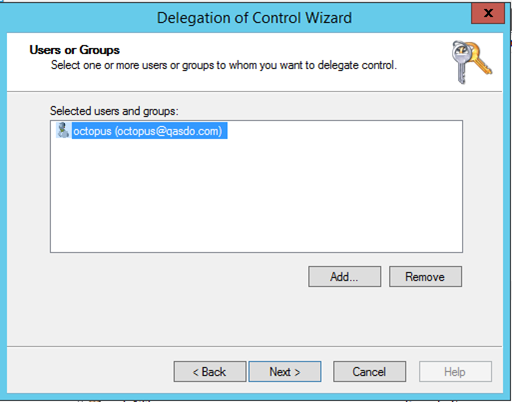
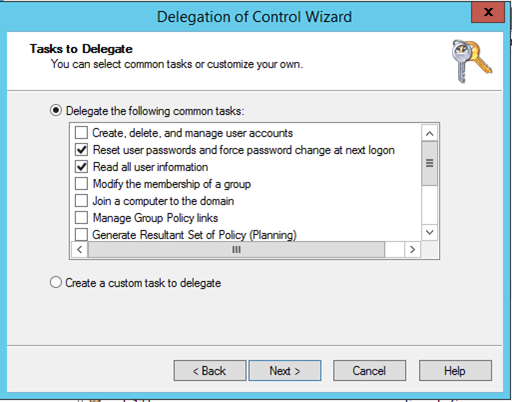
- Delegate the following tasks:
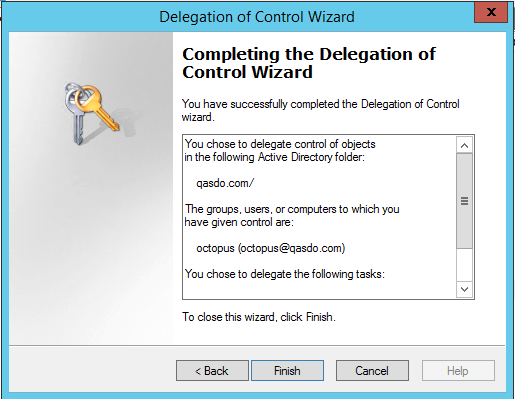
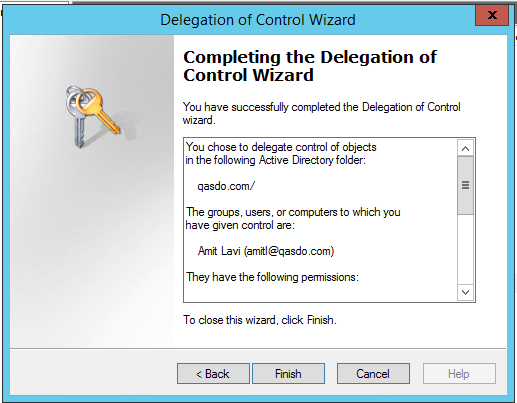
- Complete the delegation wizard.
- Run the Delegation Wizard again.
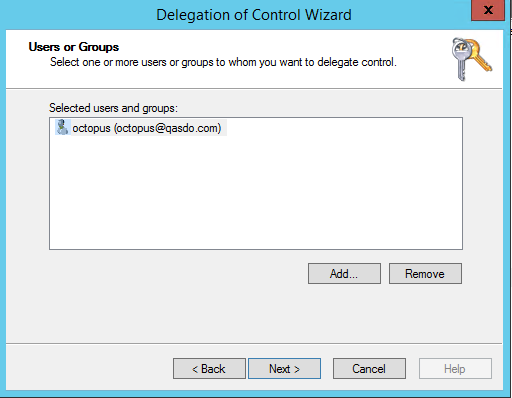
- Select Tasks to delegate.
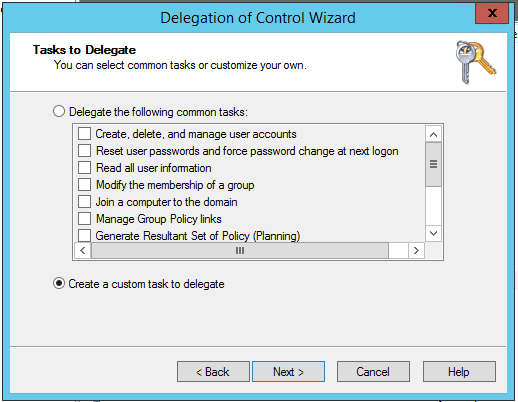
- Choose Only the following objects → User objects.
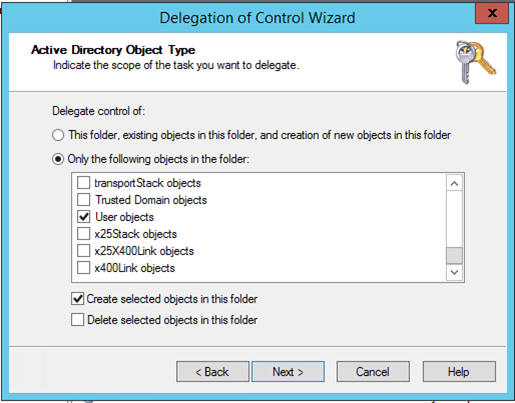
Note: Ensure “Create selected objects in this folder” is checked.
Required Permissions
- General
- Property-specific permissions:
- Change password
- Reset password
- Read lockoutTime
- Write lockoutTime
- List contents
- Read permissions
- Read all properties
- Write all properties
These permissions can be assigned via the following screen:
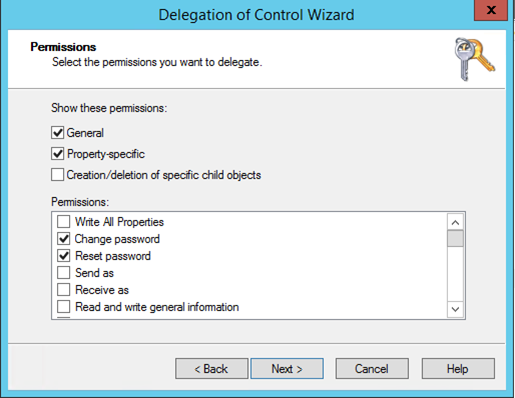
Click Next and finish the wizard.
List / Read AD Deleted Objects Container
Follow these steps to grant list and read permissions to the AD Deleted Objects container.
- Log in using a Domain Admin account.
- Open ADAM Tools Command Prompt.
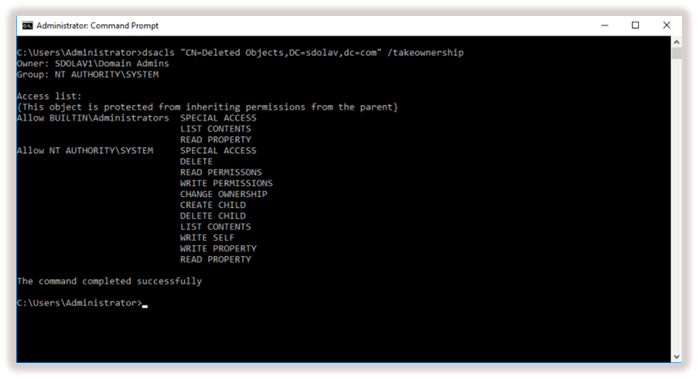
- Run the following command (adjust domain values as needed):
dsacls "CN=Deleted Objects,DC=Contoso,DC=com" /takeownership
- Use the deleted objects container relevant to your domain.
- Verify that output similar to the following is displayed: