This article will explain how to edit the base.json file on the Management Console server to add/remove functionality to the Help Desk role.
How to Configure the Help Desk role
Step 1: Access the Management Console REST API Documentation page
Navigate to your management console and append the URL with /docs/, like this:
https://<url>:<port>/docs/Use the list and filter on the left-hand side of the page to find the role(s) you want your Help Desk role to have.
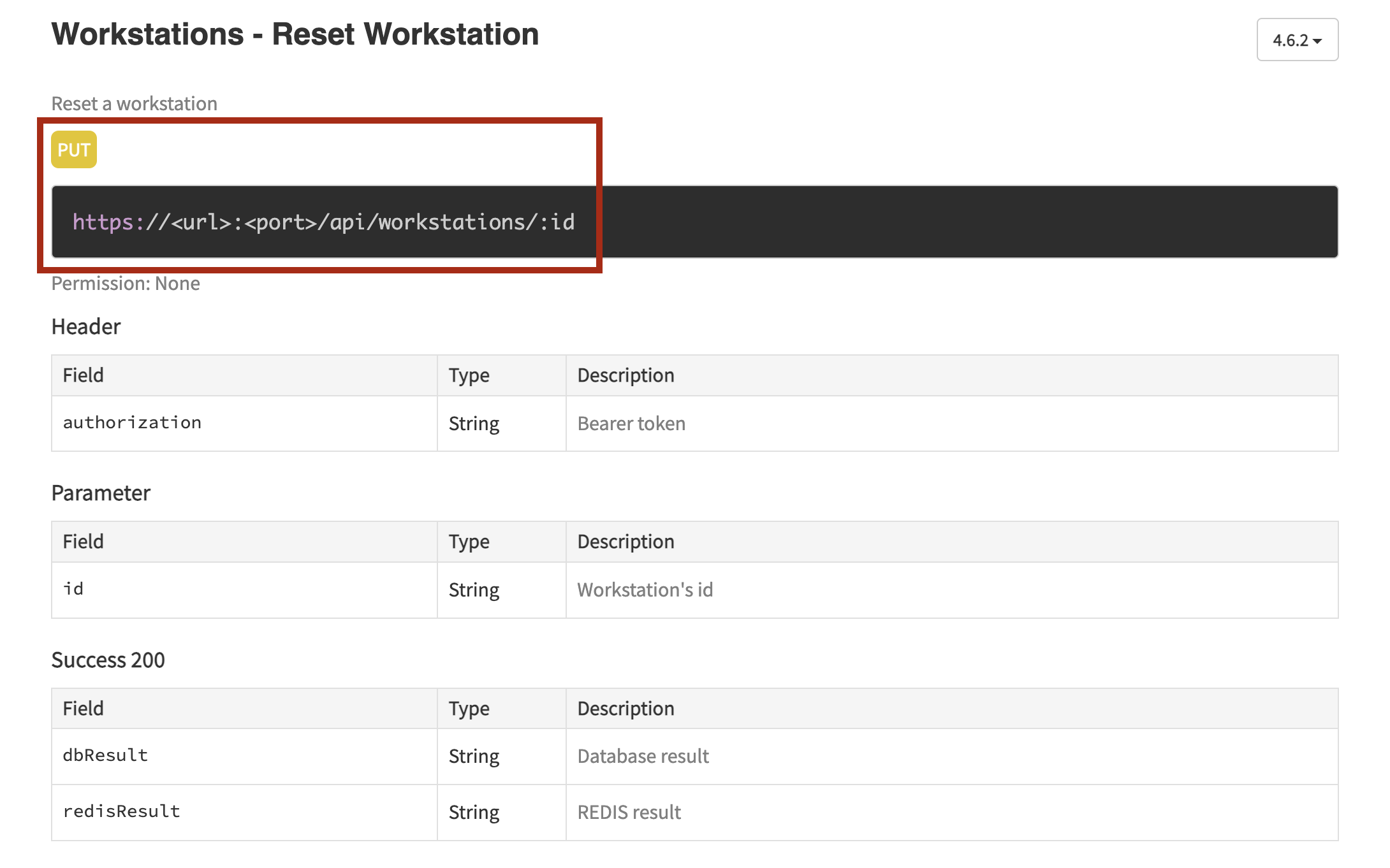
For example, I want my Help Desk role to be able to reset workstations: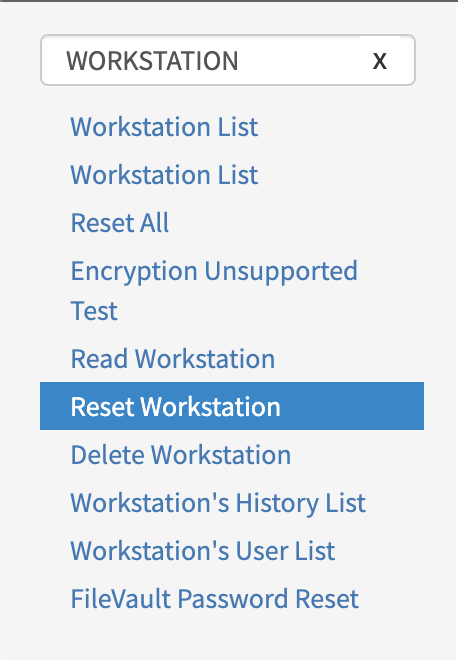
Make note of the URL and method type on the right-hand side
Step 2: Navigate to the base.json file on the Management Console server
- Connect to your Management Console server and navigate to:
/opt/sdo/mcbackendsql/config/envs/ - Create a backup of the base.json file located in this folder
- Open the base.json file for editing
Step 3: Editing the .json file
- Scroll down to the section labeled:
"group": "HELPDESK" - Add another set of curly braces to the bottom of the /* subroute and enter the following:
{
   "resource": "<REST API URL>",
   "methods": ["<Method1>", "<Method2>"],
   "action": "<allow/deny>"
}
For our example, our entry would look like this:
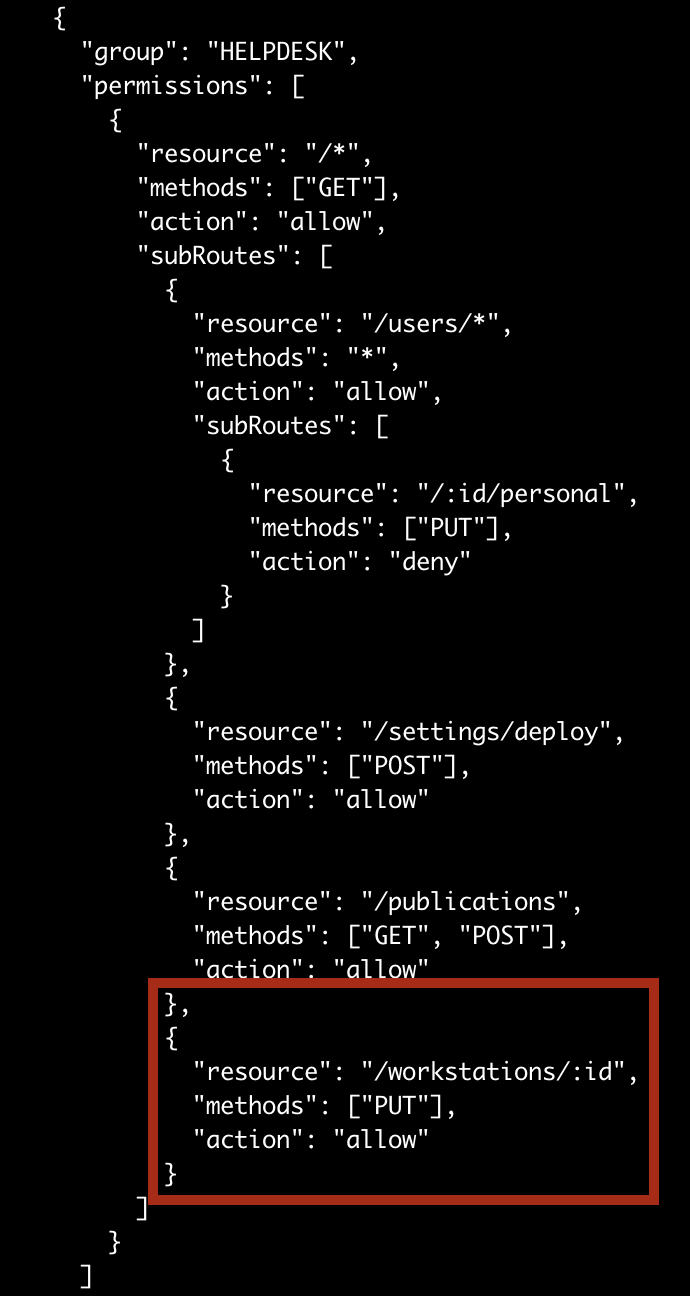
As you can see, the resource link is only the section of the URL following the <URL>:<port>/api/ of the URL, and the method we entered is the method listed on the API page.
- Save your changes and close the .json file
Make sure you include any special characters listed in the URL.

You can add multiple methods on the same line, separating the entries with a comma.
Step 4: Restart sdomcbe.service and test Help Desk role
- Restart the sdomcbe service with the command:
systemctl restart sdomcbe.service - Log into the Management Console with a Help Desk user and test the feature you enabled