Go to https://upgrade.yubico.com/getapikey/
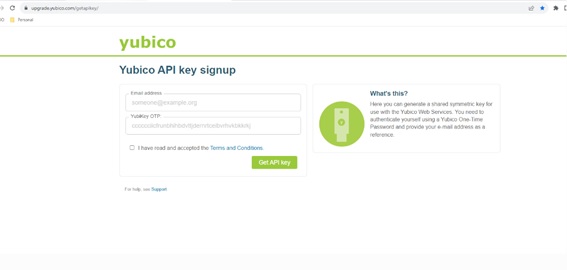
Enter your email address touch your YubiKey, accept the terms and conditions and click get API Key.
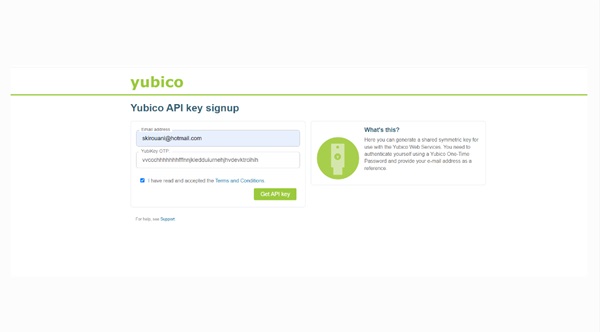
Copy the Client ID and Secret Key
Open SDO ConsoleSystem SettingsAuthenticators and click on Add Authenticator
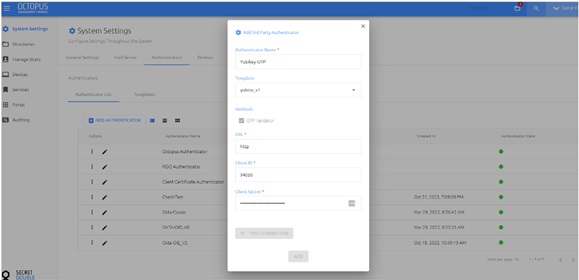
Give it a name, pick yubico_V1 from the list, In the URL enter https://api.yubico.com
Note: If Template validation rejects client id, download template and change this validation for 99999 and reupload it.
Enter the client DI and Secret Key from the previous steps and click ADD.
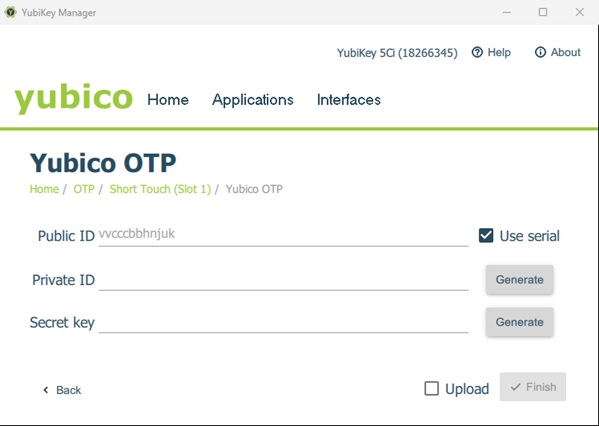
Obtain the public ID of the YubiKey, see below.
Open SDO Console> Manage Users>pick a user from directory>Add Alias1 and enter the Pubic ID obtained from the previous step.
Now the user can login with YubiKey OTP.