Support Specialist • User Management
Support Specialist – Assign Users to a Service
Learn how to assign a user to a service in Secret Double Octopus using two supported methods.
This article explains how to assign users to Octopus services either from the Manage Users view or directly from the Service configuration.
Method 1: Assign Service from Manage Users
1. Click Manage Users

2. Click Edit on the user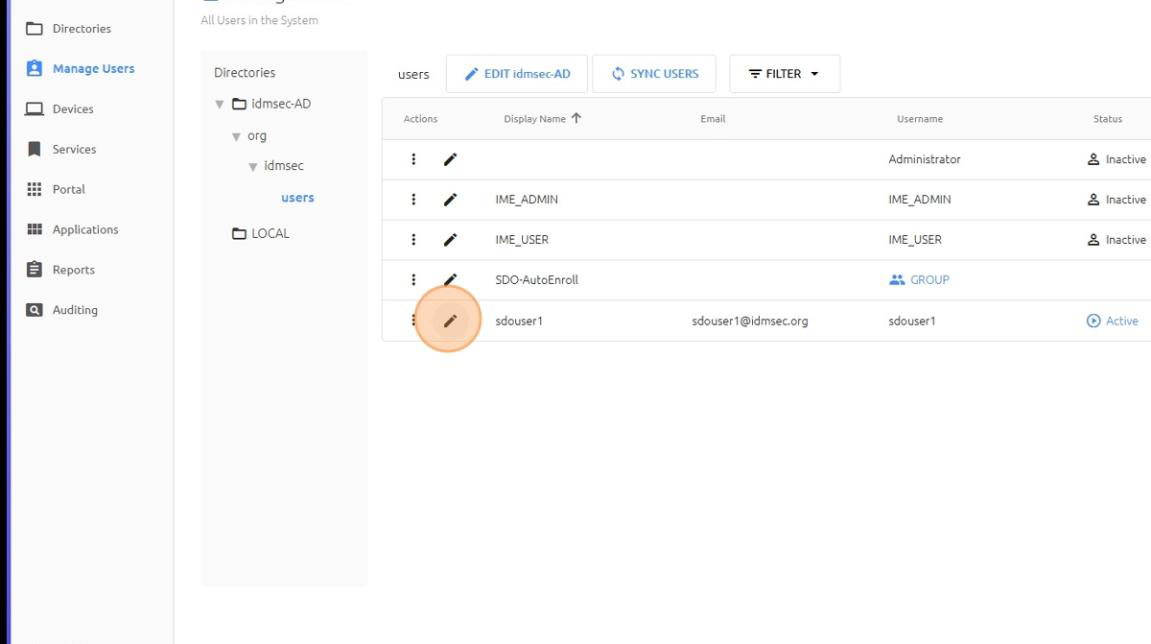
3. Open the Services tab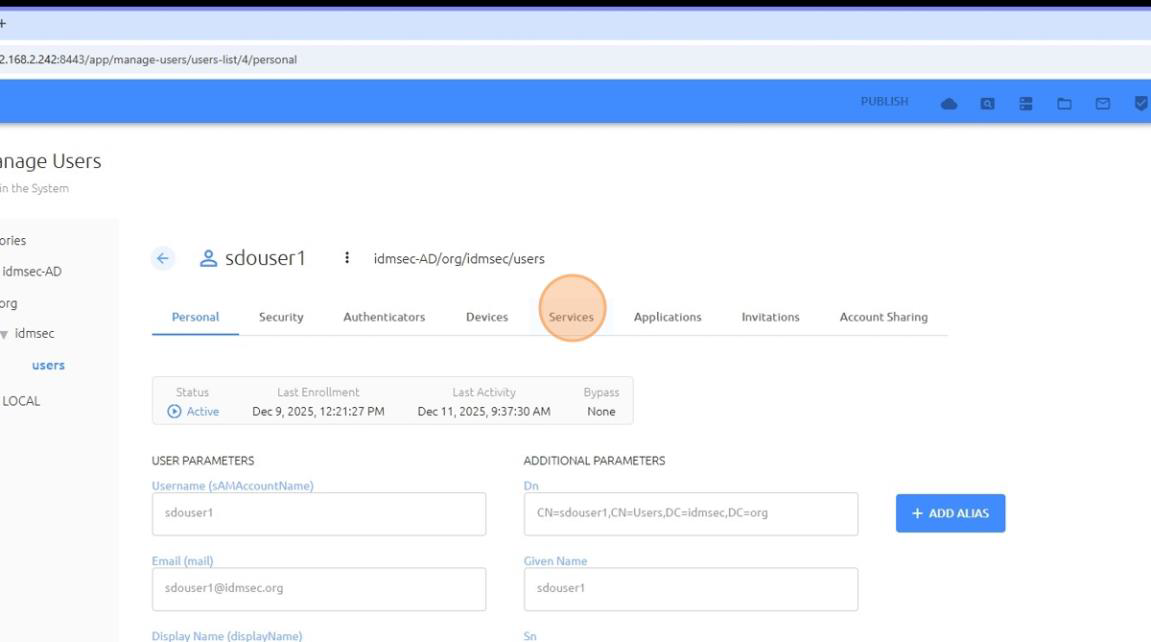
4. Click ASSIGN SERVICES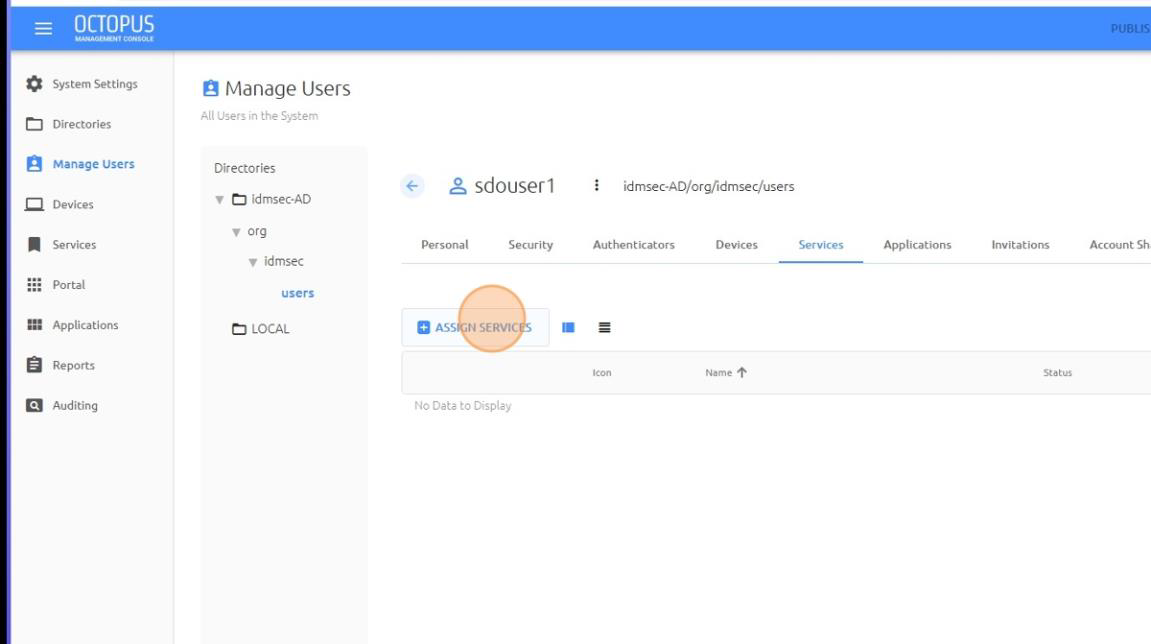
5. Select the desired service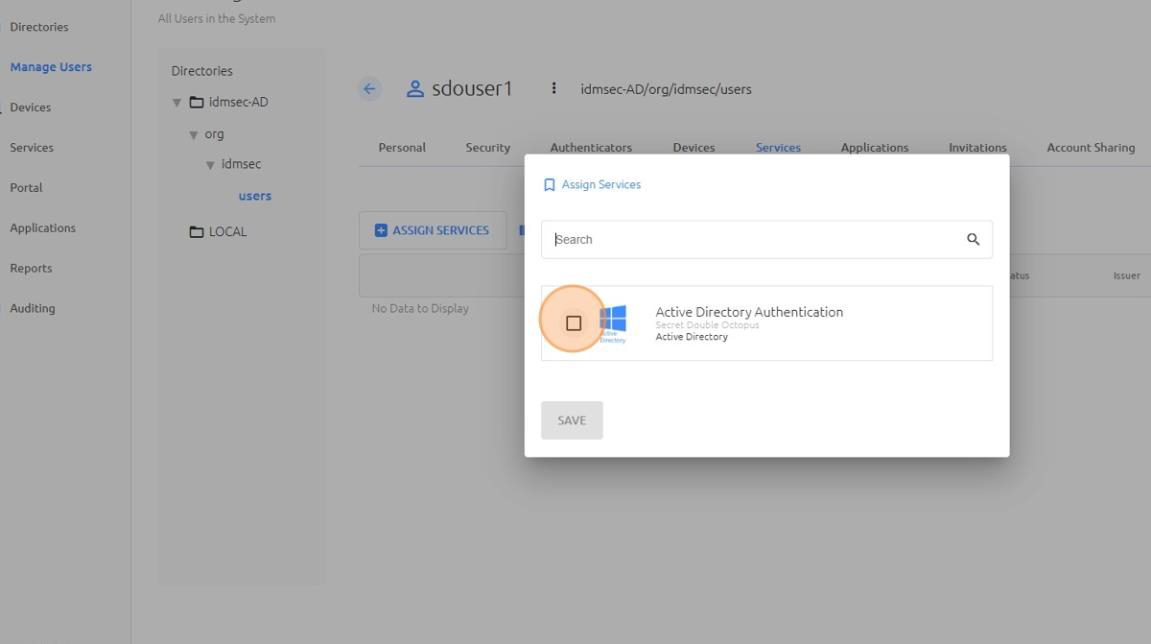
6. Click SAVE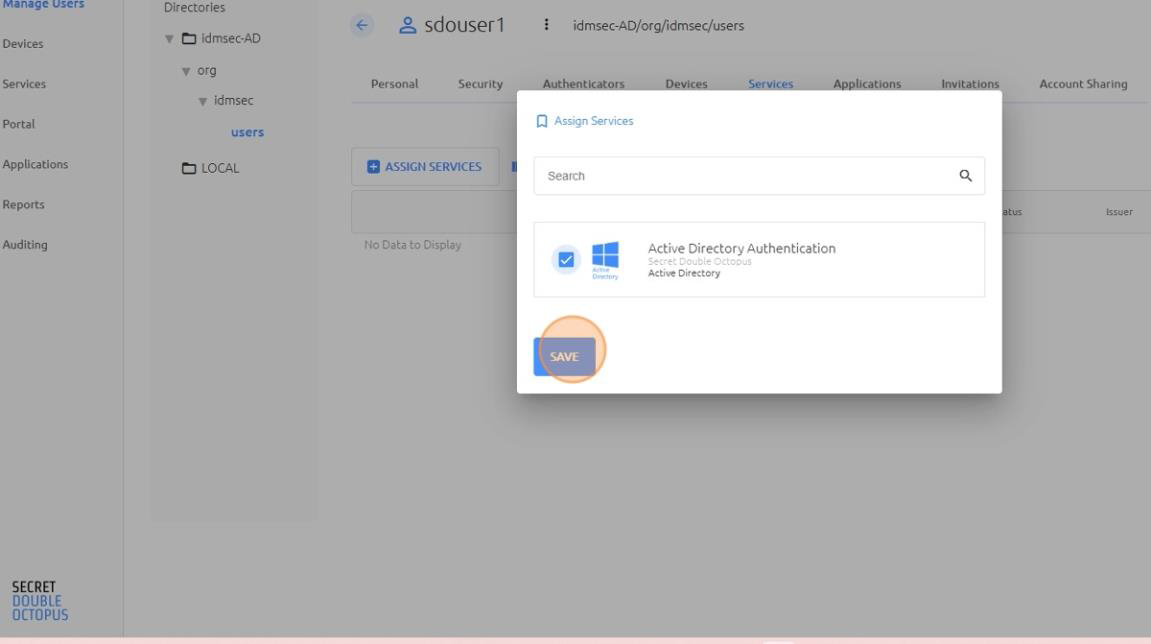
7. Click PUBLISH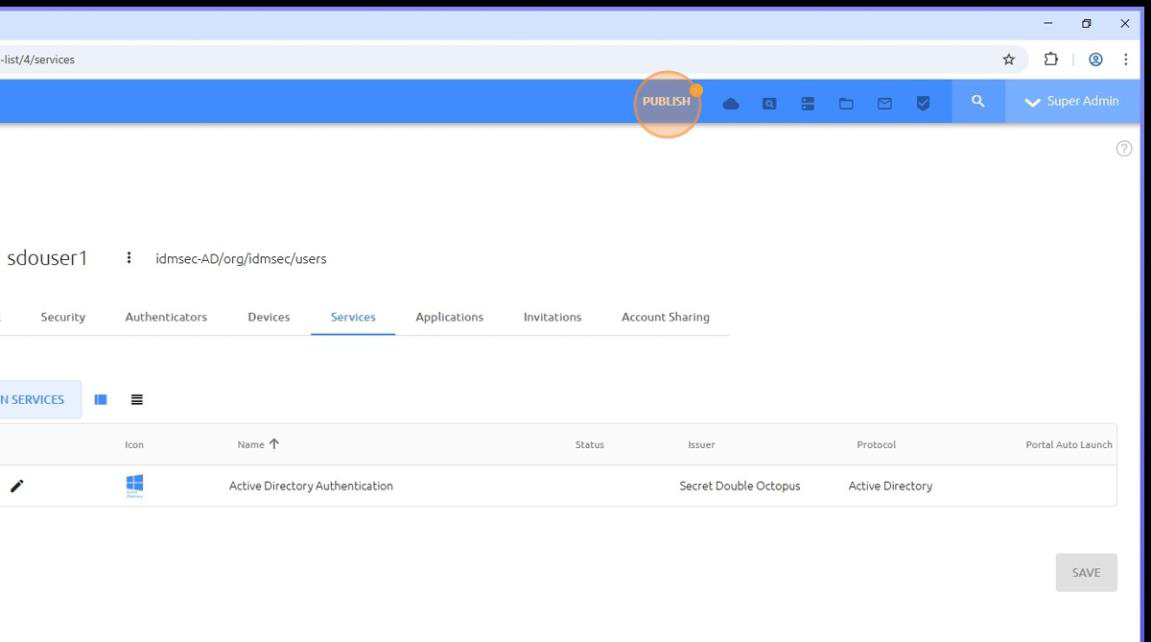
8. Confirm PUBLISH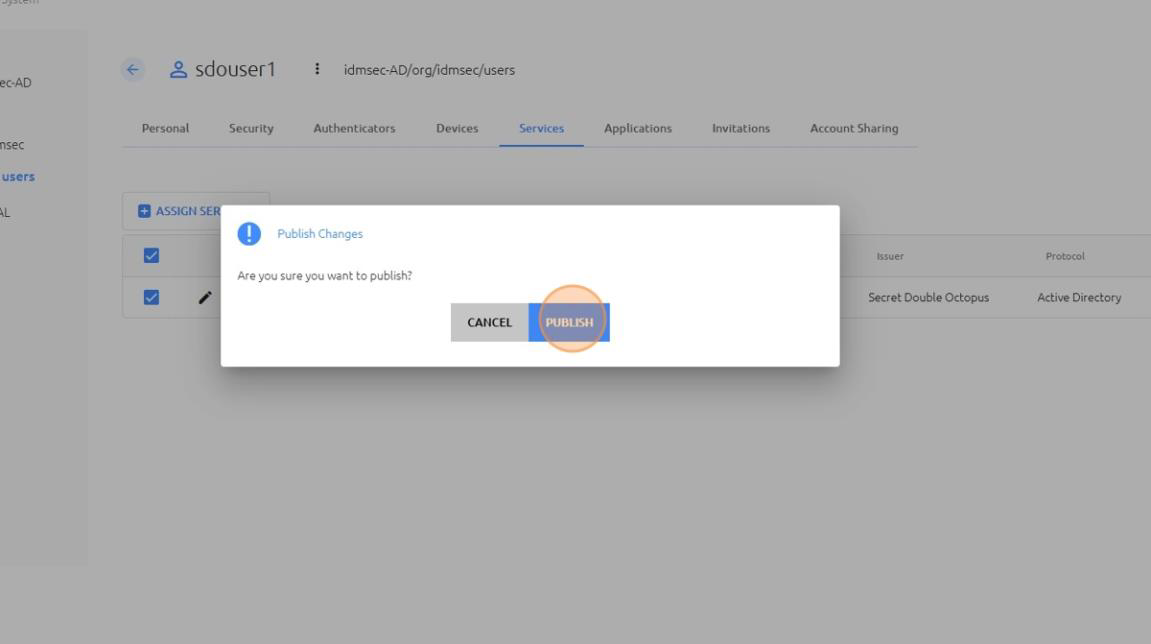
Method 2: Assign Users / Groups from Service Configuration
9. Open the Services menu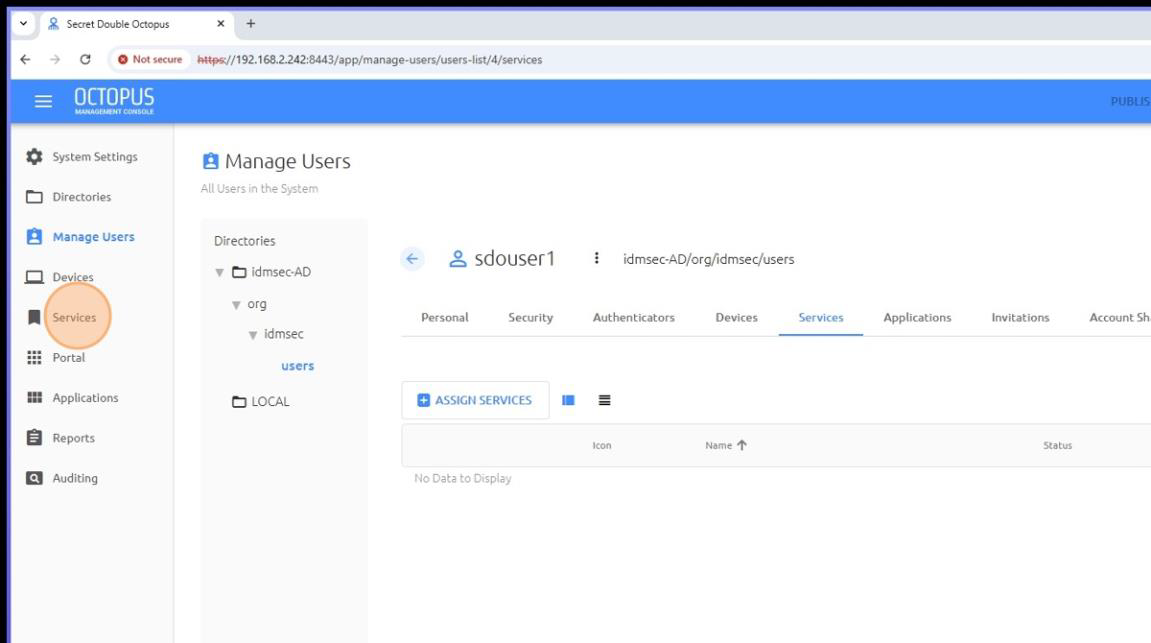
10. Edit the service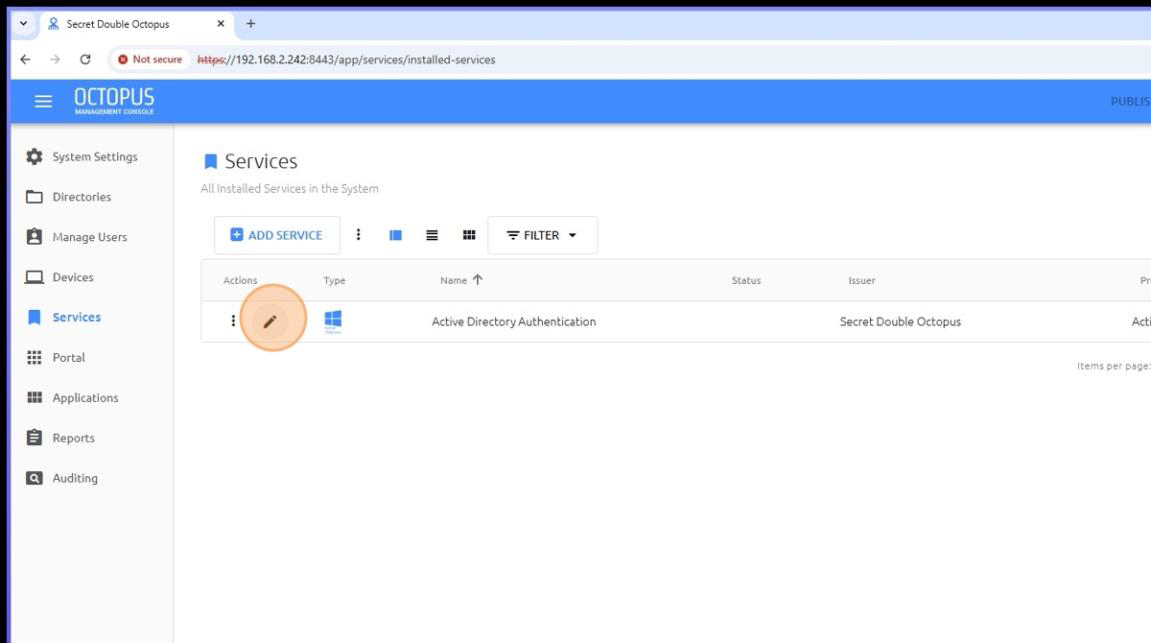
11. Open the Directories tab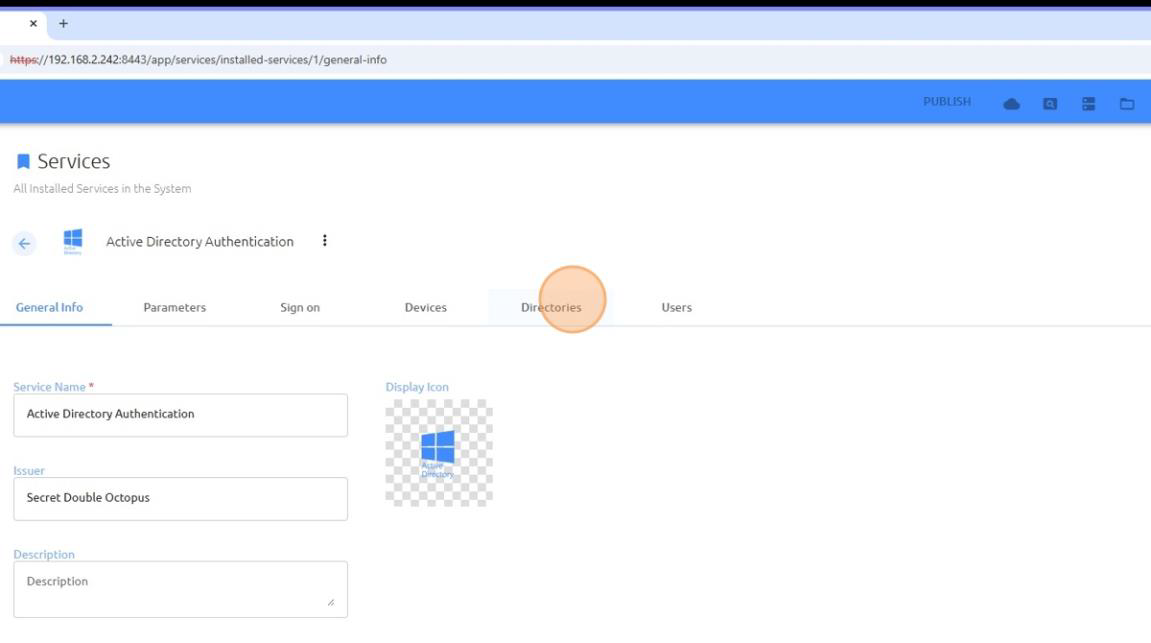
12. Select the user’s directory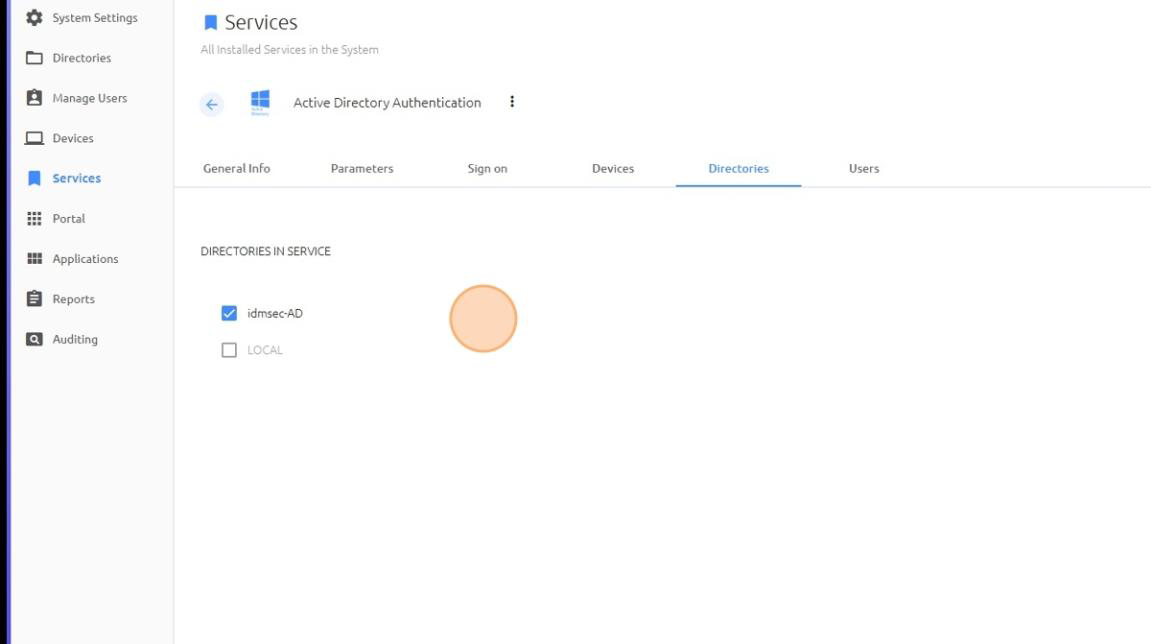
13. Open the Users tab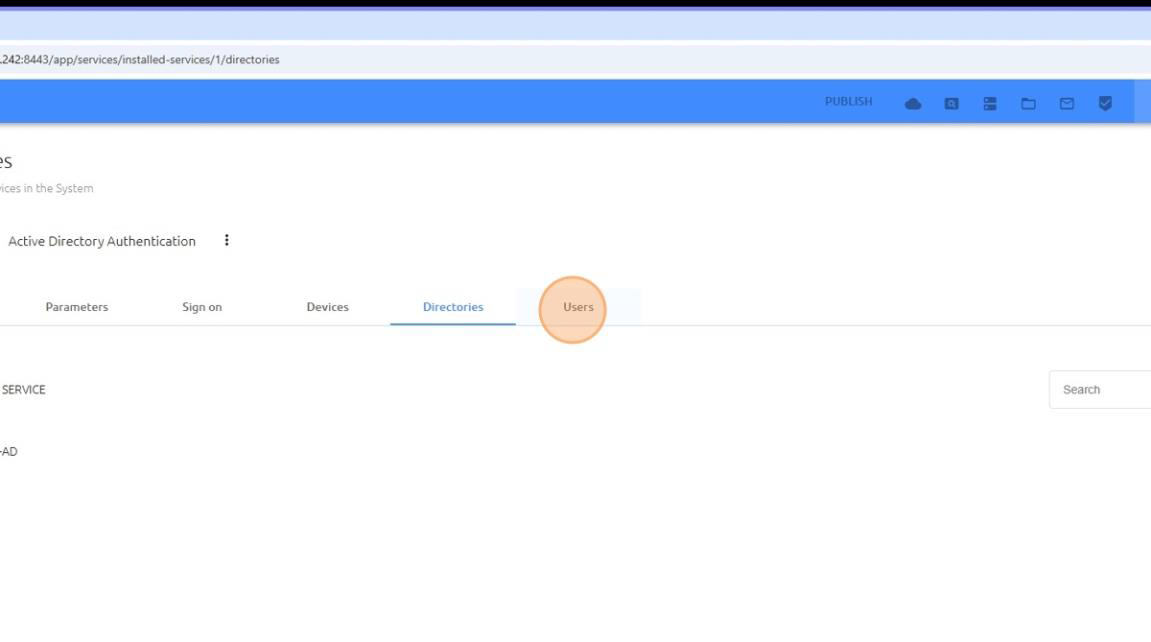
14. Click ADD the relevant users / groups for this services.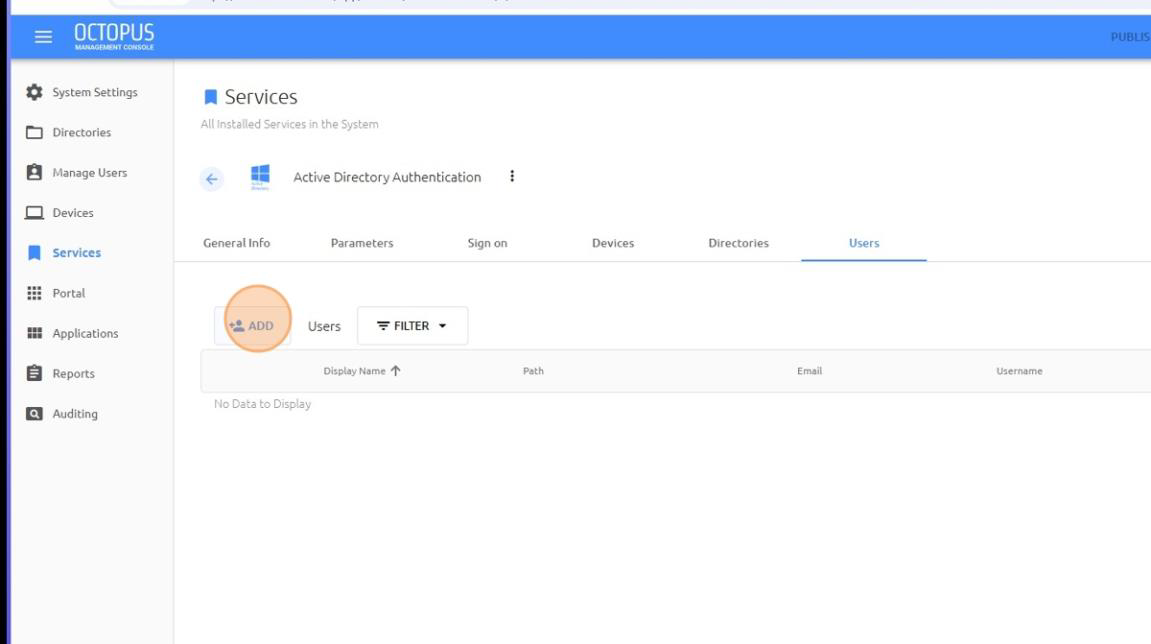
15. Expand the directory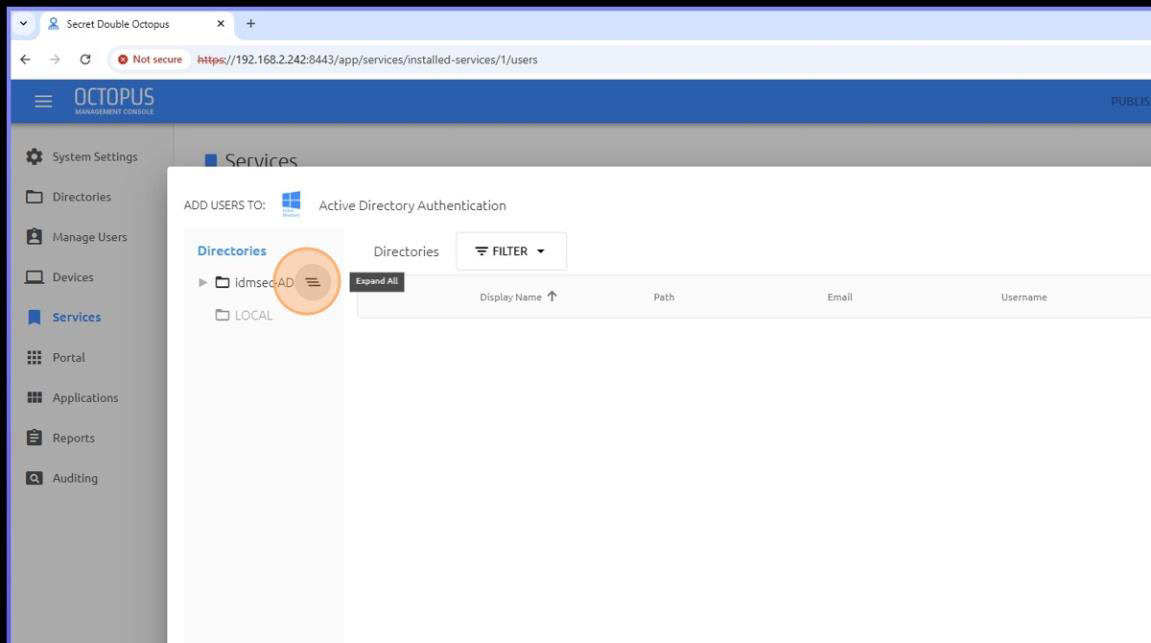
16. Open Users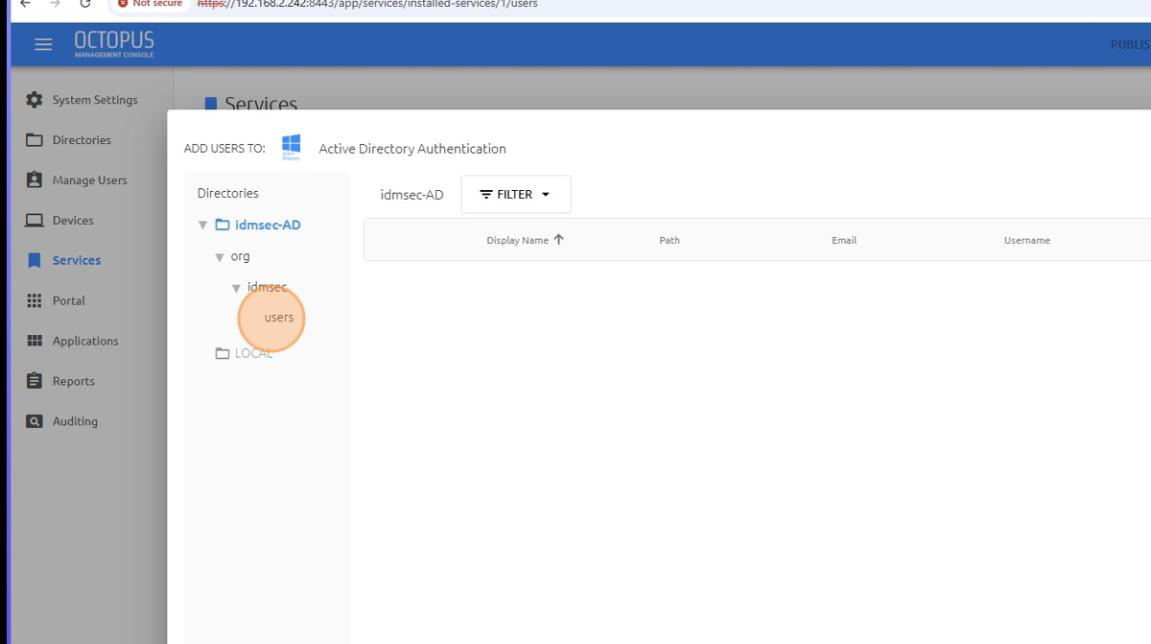
17. Select the user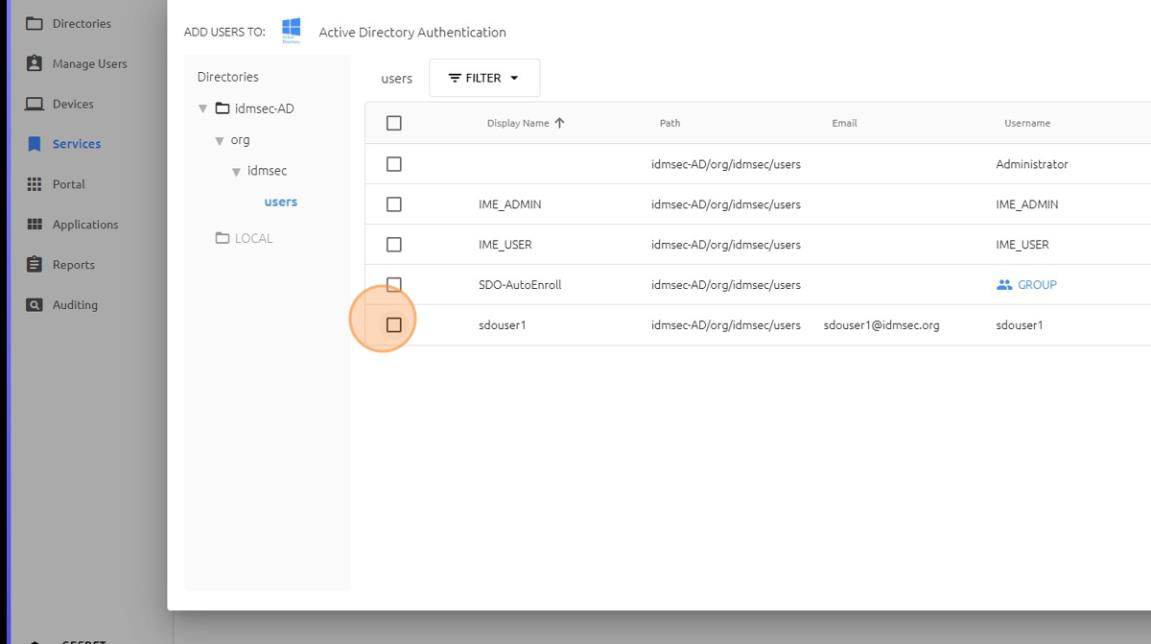
18. Click SAVE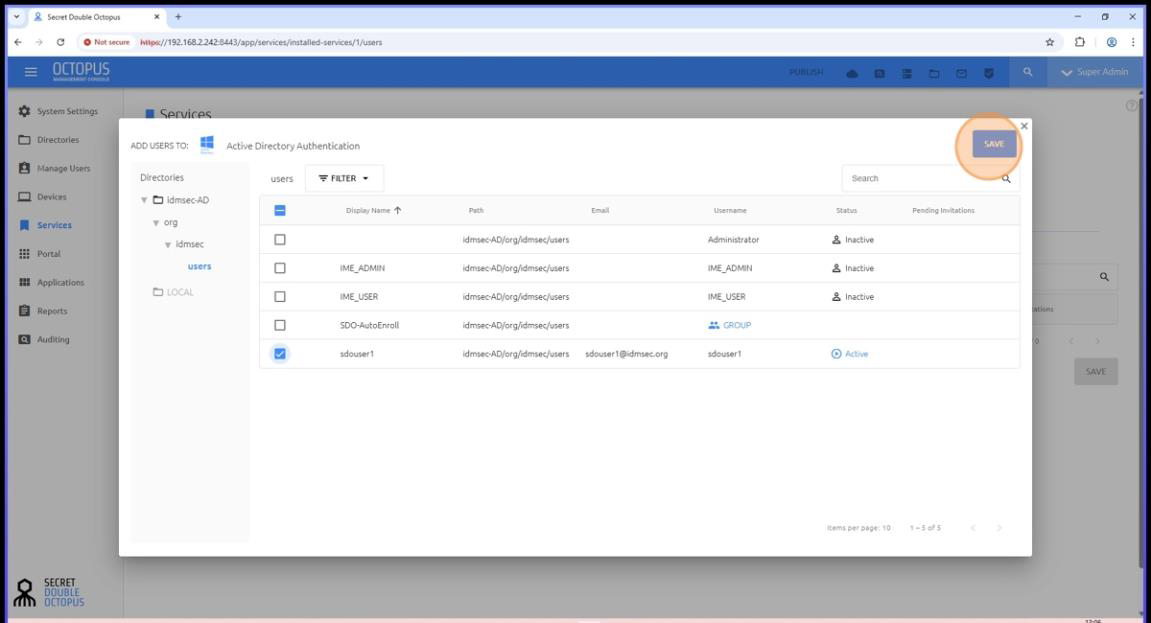
19. Click PUBLISH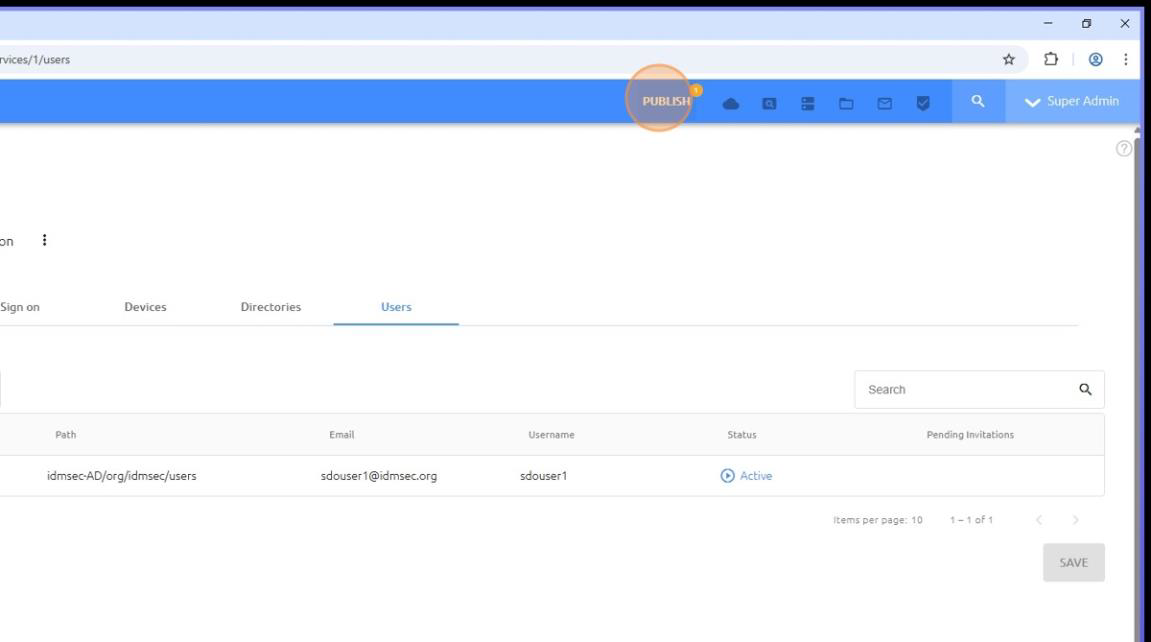
20. Confirm PUBLISH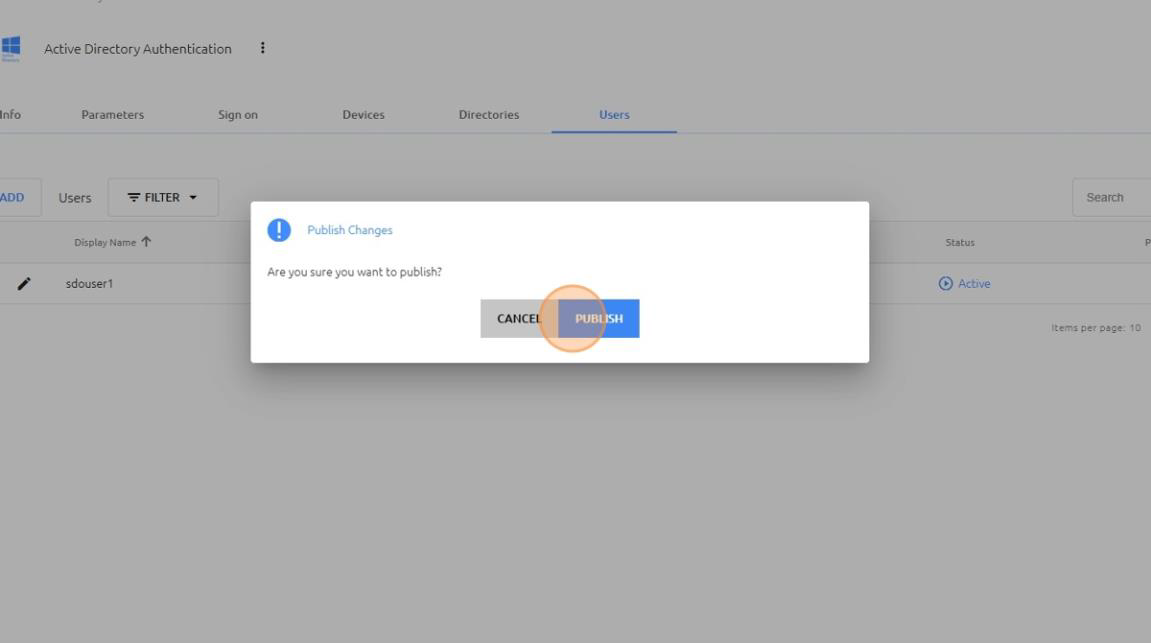
✅ Assignment Completed
The user is now successfully assigned to the selected service and can authenticate according to the service configuration.