Overview
The Audit view aggregates authentication events into a human-readable timeline, allowing Support Specialists to track a single session end-to-end, identify failure points, and validate which factors were used.
Columns on Audit
- Action (3 dots menu)
- Detailed information (hover the info icon)
- Source (Server, Workstation, Mobile Server)
- Timestamp (normalized to the client browser)
- User
- Message
- Result
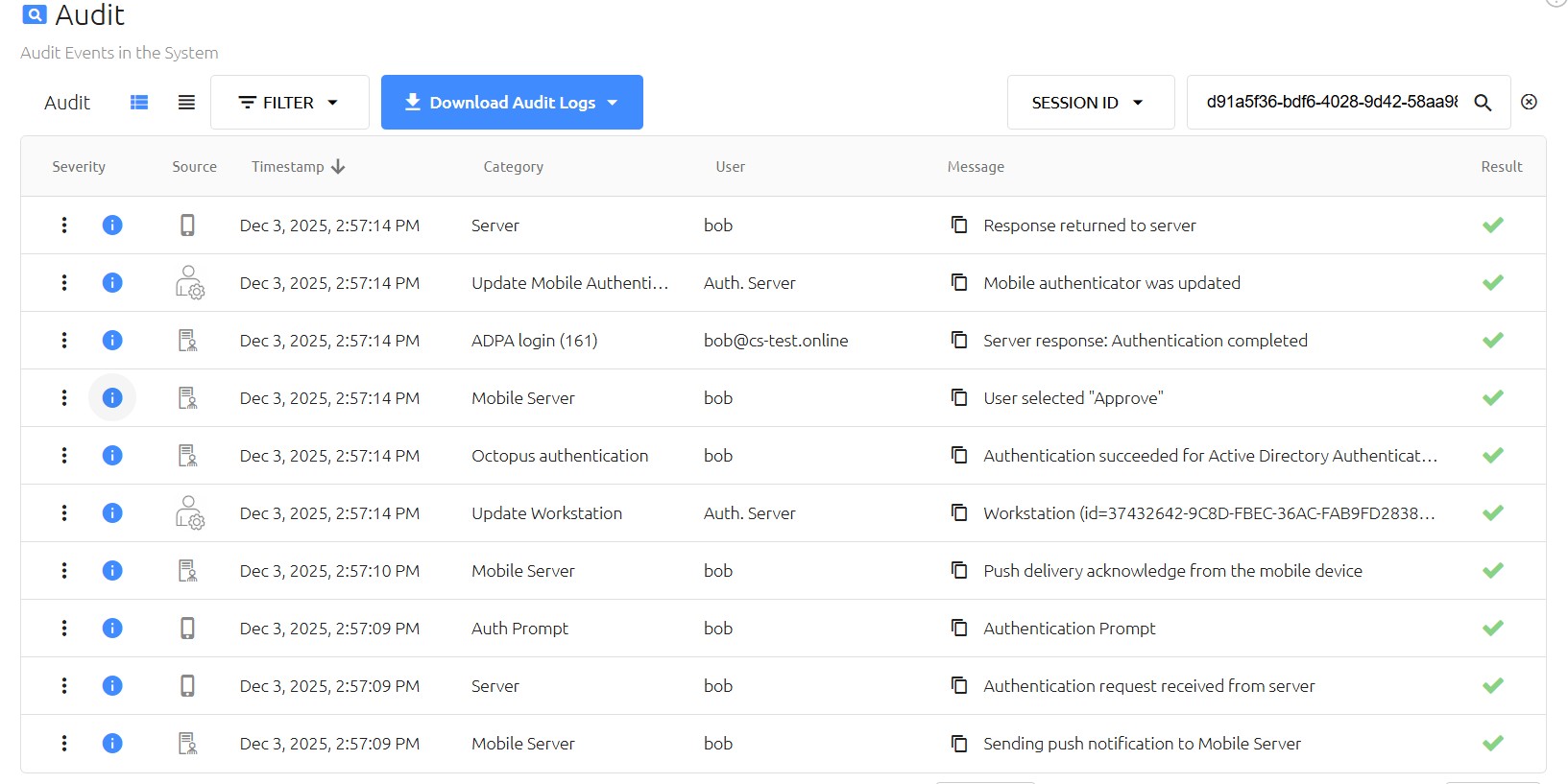
Audit view example
Use this view to follow session flow and identify failure points.
✅ Key Features in Audit
- Human-friendly format: aggregated logs for quick reading (no raw dumps).
- Single Session ID: each authentication attempt is grouped under one unique session ID.
- Unified data sources:combines events from:
- Workstation agent (Mac or Windows)
- Hardware devices (e.g., FIDO keys)
- Octopus Mobile App (Android or iPhone)
- Cloud mobile server
- Octopus service
- End-to-end flow visibility: shows every step from username submission to approval/rejection.
✅ Key Indicators in the Audit
- Status of authentication:
- Success – authentication completed successfully.
- Failure – failed due to incorrect credentials or missing factors.
- Rejected – explicitly denied by user or policy.
- Timeout – no response within the allowed time.
- Factors used: which authenticators were involved (Push, FIDO, Smartcard, Voice PIN, etc.).
- Error codes & messages: friendly error descriptions and codes for troubleshooting.
- Timestamps: each step is time-stamped to track sequence and latency.
✅ Actions You Can Take
- Download logs: export for offline review or escalation to support.
- Filter by Session ID: quickly isolate a specific authentication attempt.
- Correlate events: match workstation, mobile, and server actions in one view.
- Check flow completion: confirm all required factors were validated before success/rejection.