Overview
The Octopus Portal allows you to log in without a password and access all of your Single Sign-On (SSO) enabled applications from a single, secure location.
Prerequisites
- An enrolled authentication method (mobile app, FIDO2 key, or OTP token)
- Your company's assigned Octopus Portal URL
- Your username
Step 1 – Navigate to the Portal
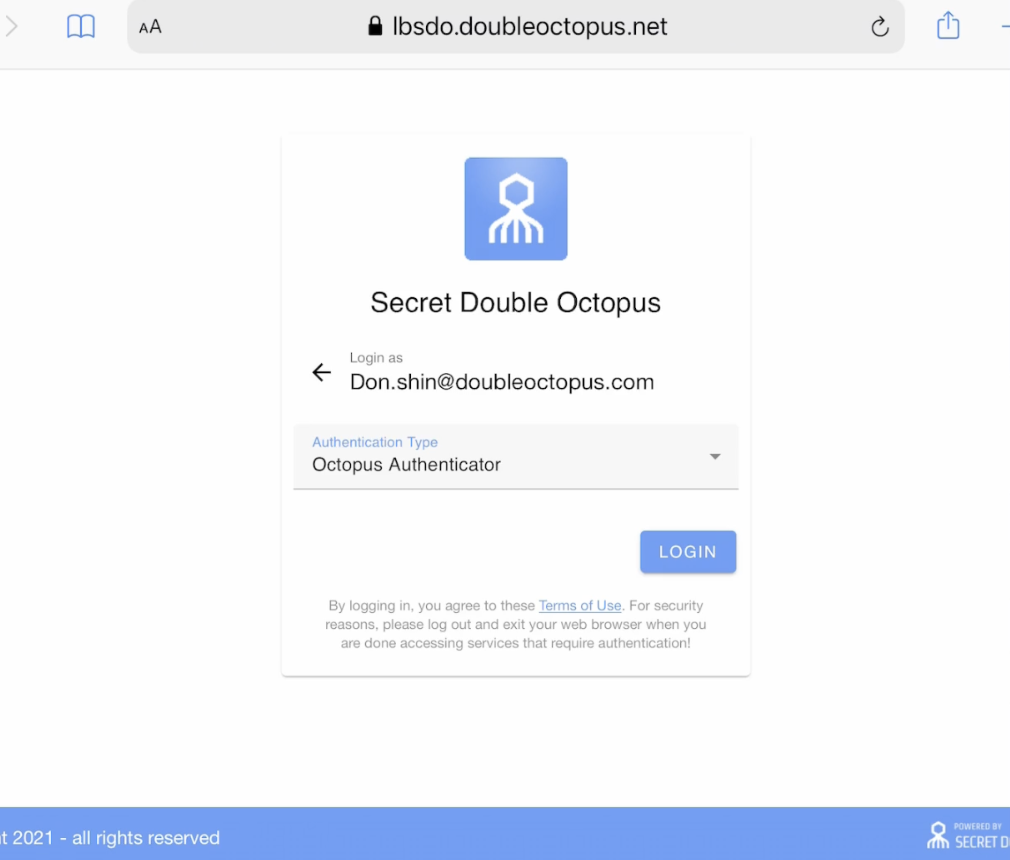
Navigate to your company's assigned doubleoctopus URL and click Login, making sure your username is filled out.
Step 2 – Approve with Your Authenticator
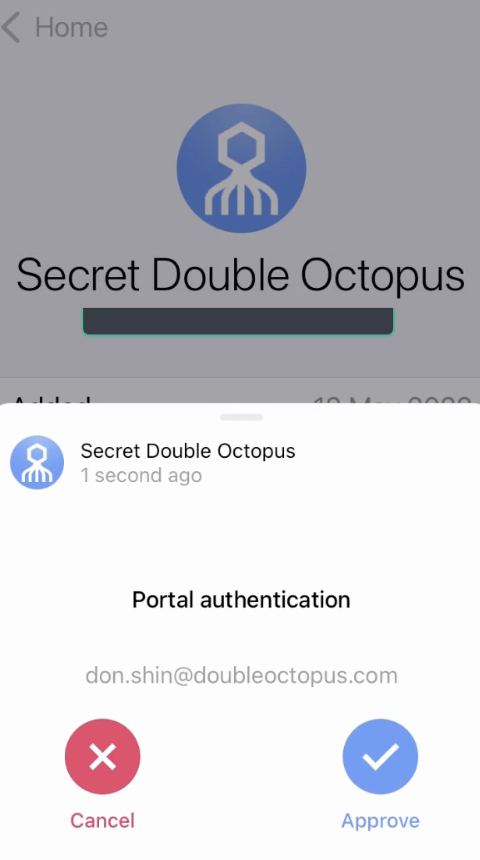
Approve the login request using your authenticator (your phone is shown here).
Step 3 – Access Your Applications
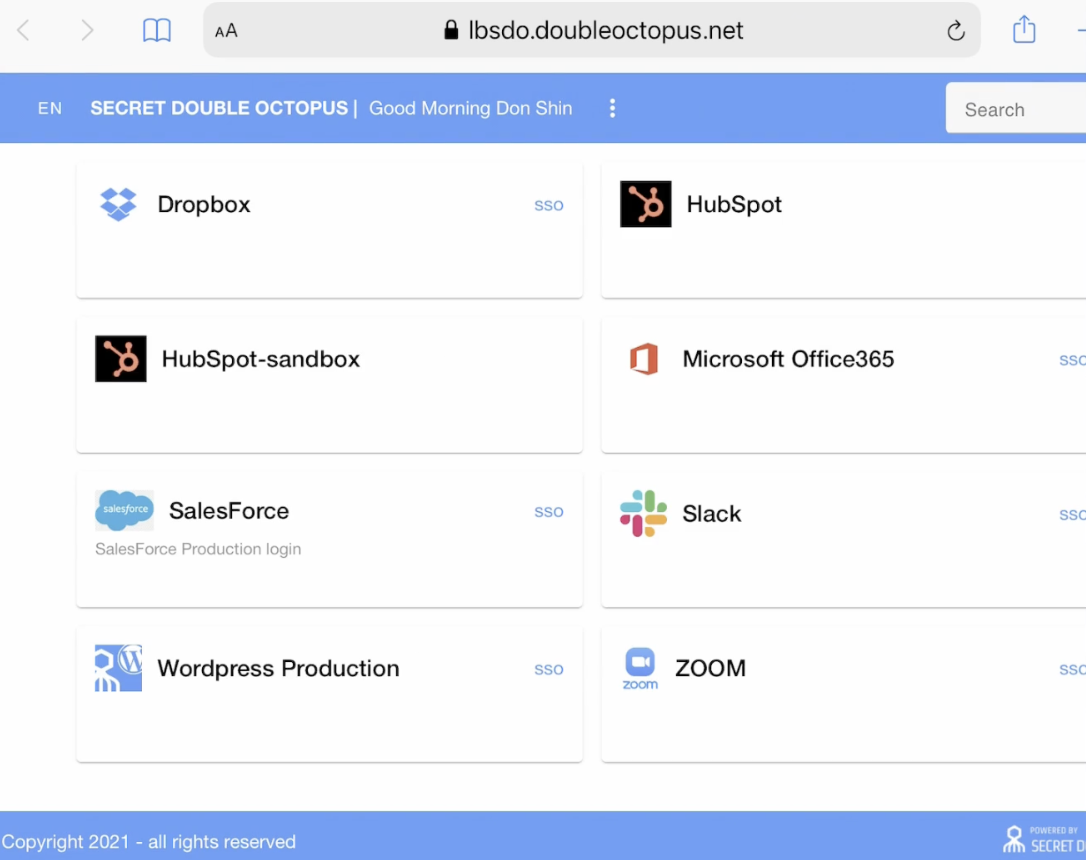
Once approved, you'll see a list of apps you have SSO access to. Click to access them here.
Login Complete
You have successfully logged in to the Octopus Portal without a password. You can now access your SSO-enabled applications.