The Octopus Authentication Server offers a cloud-based centralized authentication platform for the workforce.
This document describes the new features and enhancements available in Octopus Authentication Server version 6.8.6.
Octopus Authentication Server version 6.8.6 introduces a variety of features that simplify and streamline the user authentication experience while maintaining the highest levels of security. As some of these features require the latest Agent versions, it is strongly recommended to use Octopus Desk for Windows v4.3.4 / Octopus Desk for Mac v4.4 and to encourage users to download the latest version of the Octopus Authenticator mobile app.
Device-specific mobile authenticator configurations [SSA-19350]: Octopus Authentication Server now supports the ability to customize the functionality and behavior of the Octopus Authenticator mobile app for individual mobile devices. This is done by overriding the Octopus Authenticator global settings configured in the System Settings menu. Global settings are overridden per specific device of a particular user.
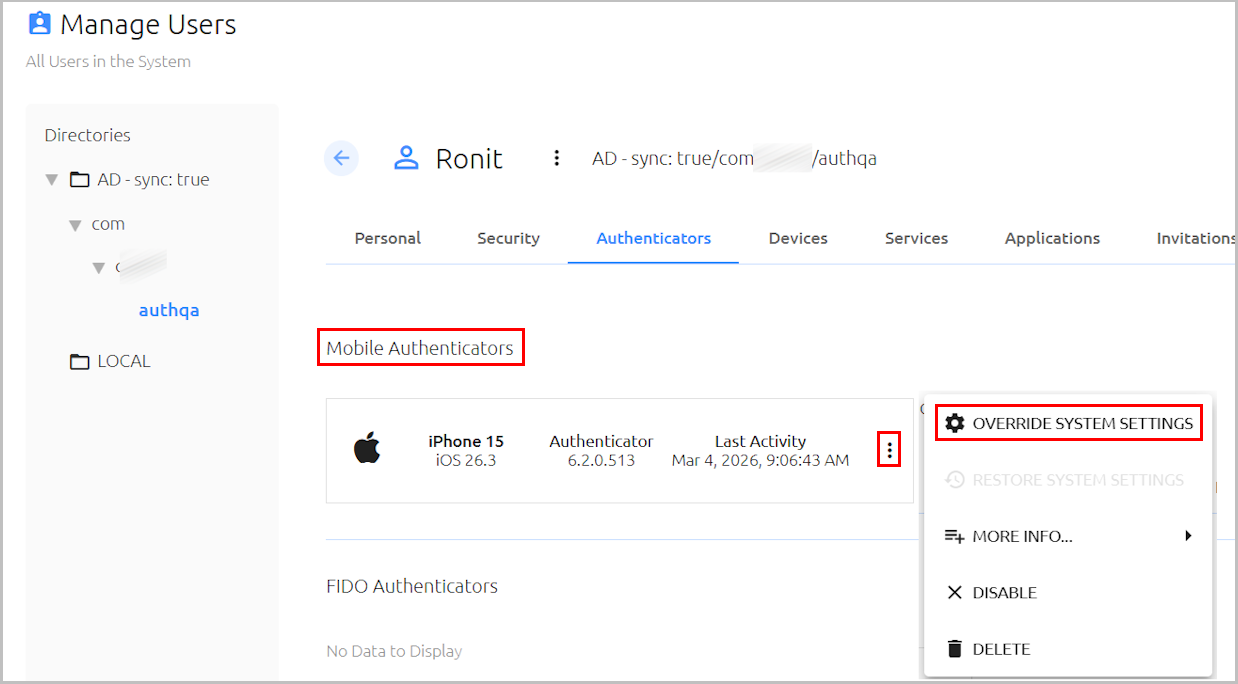
Clicking Override System Settings opens a popup dialog displaying Octopus Authenticator configuration options that may be overridden. Settings that differ from the global configuration are indicated by a colored bar.
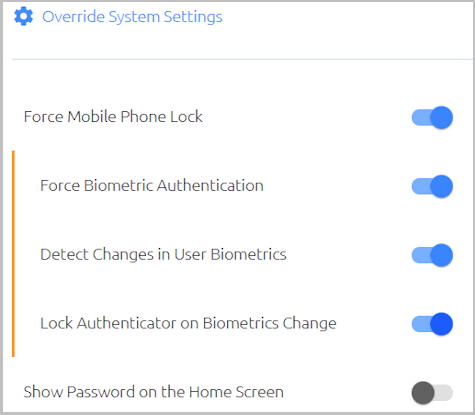 |
Once an authenticator-specific configuration is defined, the Octopus Authentication Server sends the customized configuration (instead of the global one) to the mobile app. The Server continuously compares the configurations and updates device-specific settings in real time, according to changes in the global configuration.
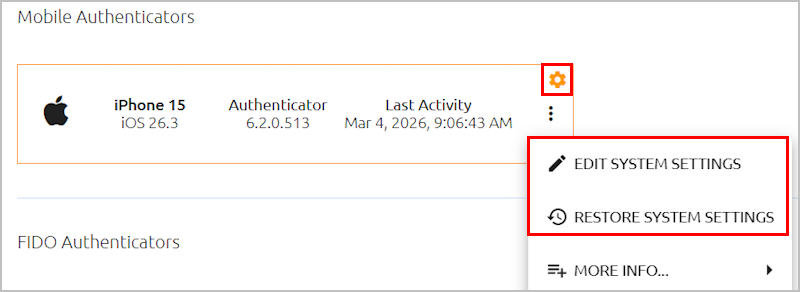
Authenticators with customized configurations are easily identified by a conspicuous icon. The actions menu options enable the system admin to easily modify the device-specific settings or quickly reset all the settings to match the global configuration.
 |
For additional information, please refer to the Octopus Management Console Admin Guide.
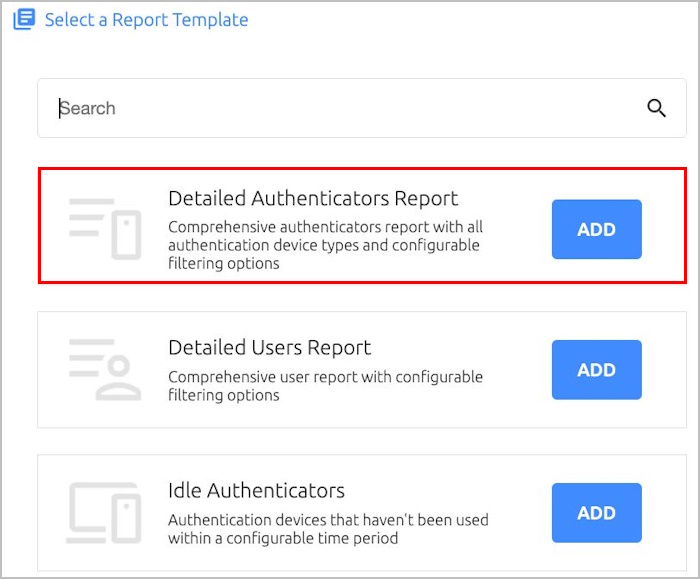
Detailed Authenticators report [SSA-19369]: This new report template is designed to provide comprehensive information about all authentication device types. A large variety of filtering options are available to ensure that the report contains the most relevant and helpful data for your organizational needs.
 |
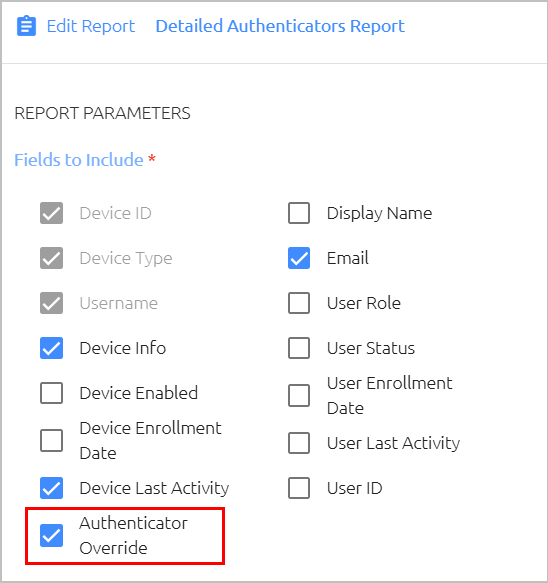
Selecting the Authenticator Override parameter generates a column in the report that allows the admin to easily identify mobile authenticators with device-specific configurations.
 |
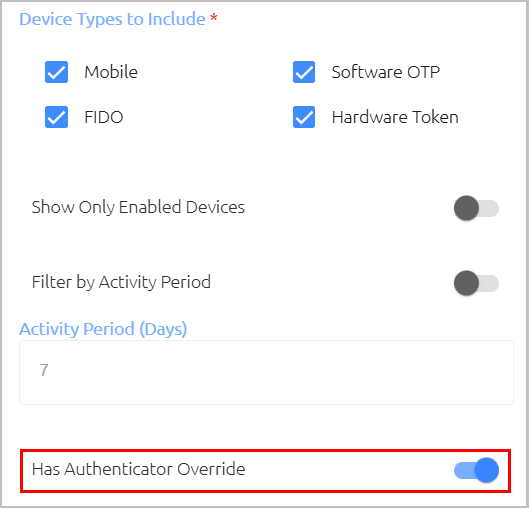
Enabling the Has Authenticator Override setting filters the report to include only mobile authenticators with device-specific configurations.
 |
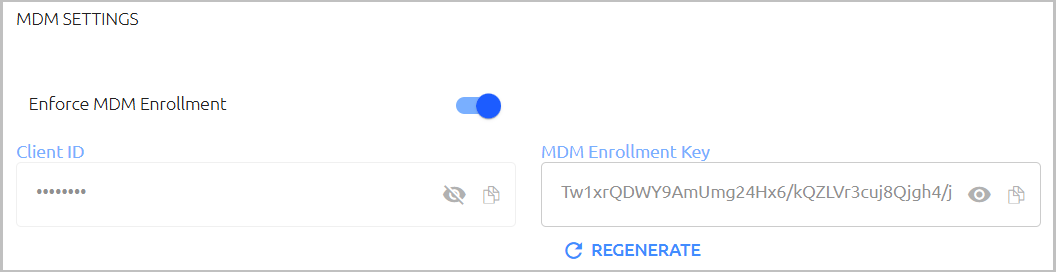
Enforce MDM Enrollment [SSA-19491]: Octopus Authentication Server now supports the option to allow enrollment only for mobile devices managed by an MDM solution. The new MDM Settings section in the Octopus Management Console (System Settings > Devices) provides the settings that need to be added to the Octopus mobile app configuration in your organization's MDM platform.
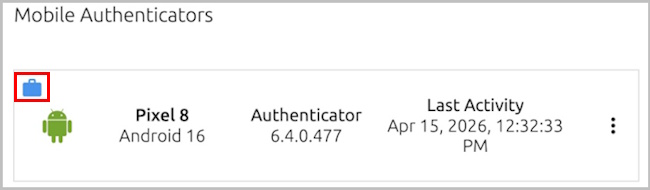
In the user's details, mobile devices enrolled through an MDM solution are indicated by a case icon.
For more details and guidelines on configuring your MDM platform, please refer to the Octopus Management Console Admin Guide.
VDI authentication support [SSA-19491]: The new VDI option in the settings of Active Directory Authentication services (Sign on tab) enables the system admin to specify whether the service supports authentication to VDI desktops. The feature supports both persistent (static) and non-persistent (random) VDI machine assignment types.
IMPORTANT: It is strongly recommended to configure a dedicated ADPA service for VDI desktops.
Service configuration enhancements: Features added to the Octopus Management Console include:
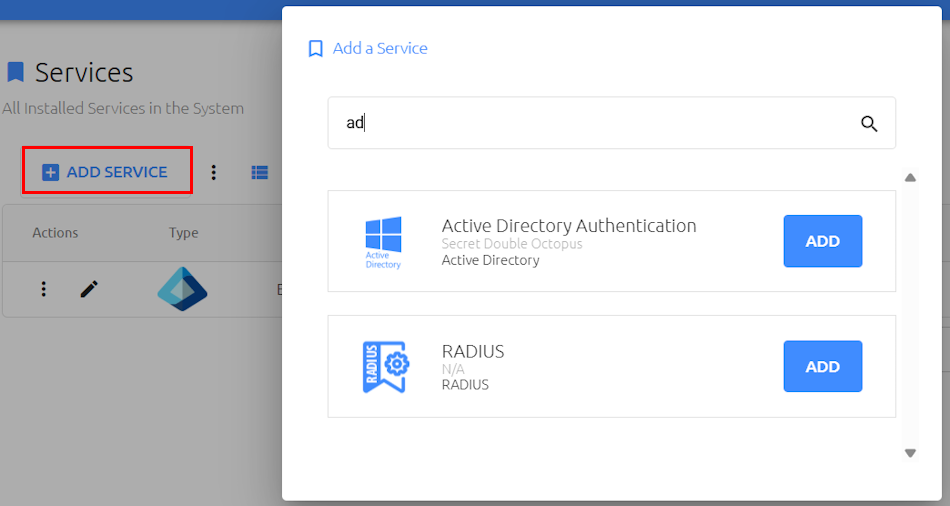
- Keyword search for adding services [SSA-19334]: Filtering of the Add a Service list according to service name or other related keyword is now supported.
- Issuer URL availability [SSA-19474] [SSA-19475]: The Issuer URL is now displayed in the service settings (Sign on tab) of OpenID Connect services and Entra ID EAM services.
Octopus Cloud Authentication Server version 6.8.6 contains the following bug fixes:
Issue Number | Issue Description | Current Status |
|---|---|---|
SSA-19408 | OIDC authentication failures with MS Entra ID when Entra ID token lacks UPN | Fixed |
SSA-19364 | Incorrect default response_mode for OIDC Authorization Code flow | Fixed |
| SSA-19697 | forcePasswordChange failure with Compatibility Mode OFF | Fixed |
Known Issues
Octopus Cloud Authentication Server version 6.8.6 contains the following known issues, which will be fixed in future versions:
- MDM-related issue: On integration with certain MDM solutions, the Mobile Device Recovery feature (in Octopus Authenticator settings) may not behave as expected on Android devices.
- VDI-related issue: Adaptive Authentication, Push Fatigue Protection, and Compatibility Mode OFF (when the Authentication Server uses the decentralized vault concept) are currently supported for the Persistent (static) assignment type only.