Shared Account Troubleshooting
Secret Double Octopus Helpdesk Guide
Step-by-step configuration validation for Shared Account access
Overview
Use this article to verify the user-level Account Sharing configuration and the service-level sign-on and assignment configuration when Shared Account access is unavailable or does not work as expected.
Video Walkthrough
Watch the complete Shared Account troubleshooting process below.
Resolution Steps
- Open the shared-account owner’s user record.
- Verify Account Sharing is enabled and the guest user is assigned.
- Open the relevant service and verify Shared Account Login is enabled.
- Verify the service is visible in the user portal.
- Assign both the account owner and guest user to the service.
- Save, confirm the directory assignment, and publish the configuration.
Detailed Step-by-Step Guide
User Account Sharing
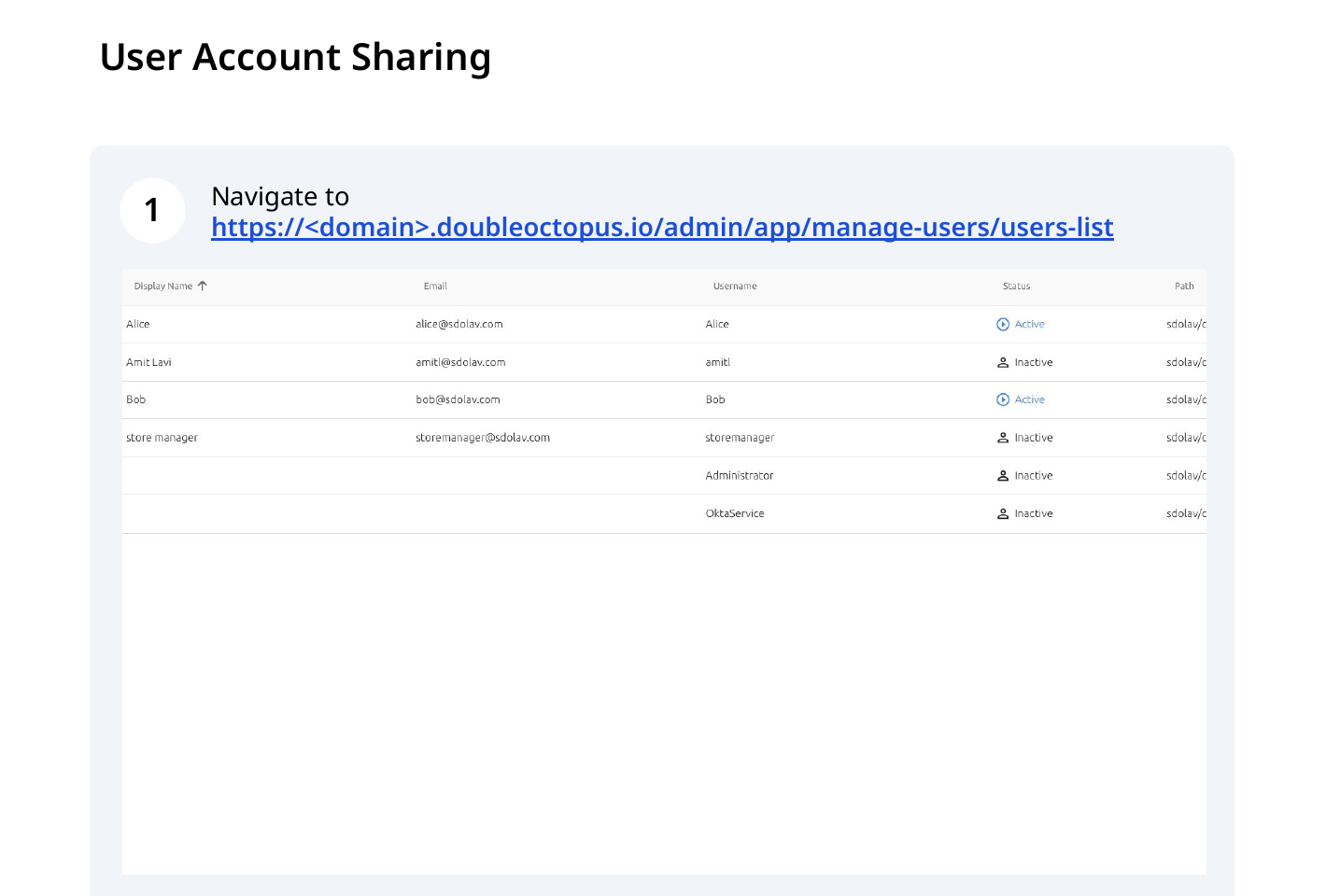
Step 1: Navigate to https://<domain>.doubleoctopus.io/admin/app/manage-users/users-list.
Step 2: Click the edit icon for the user whose account should be shared (for example, "Bob").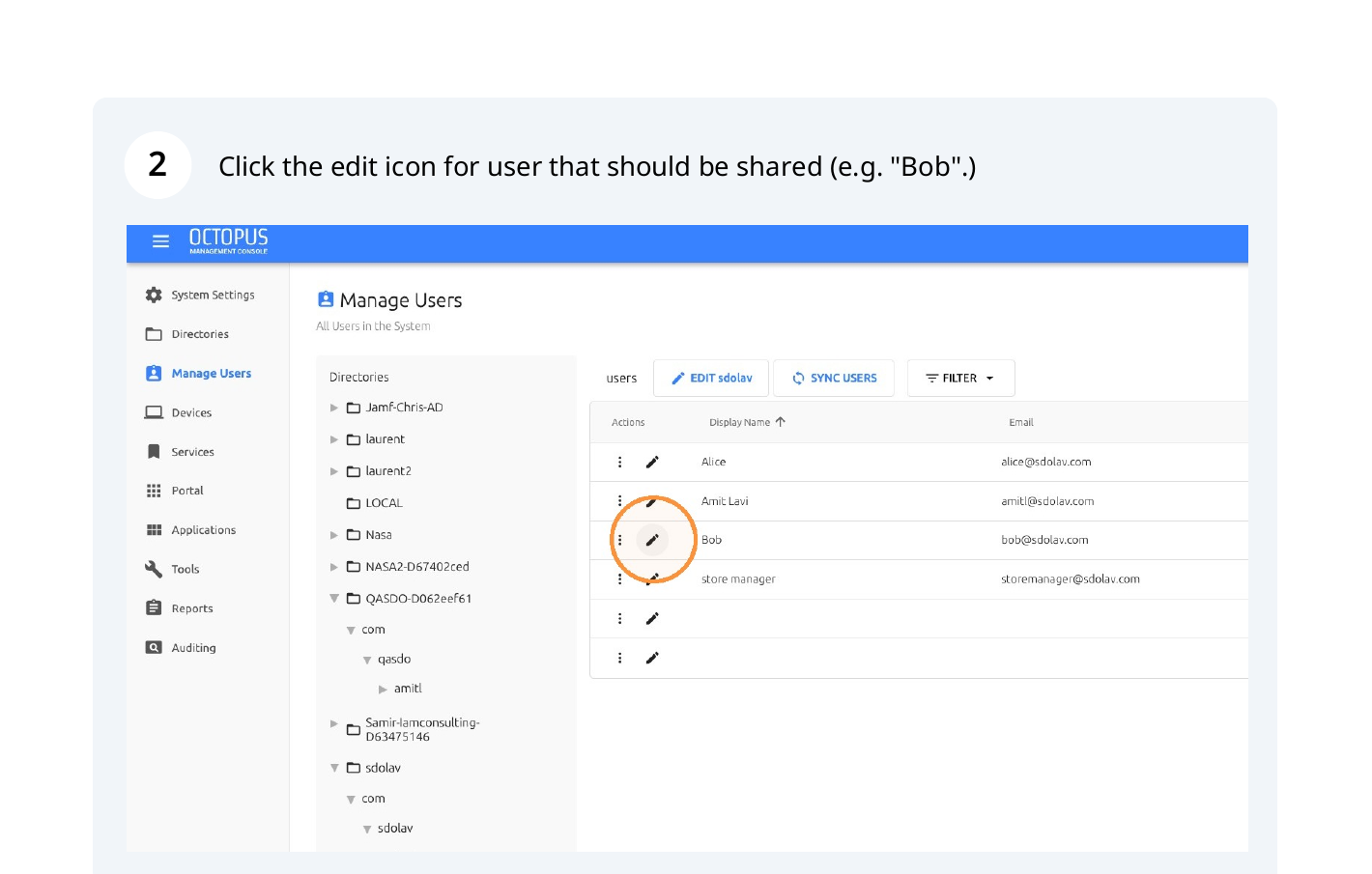
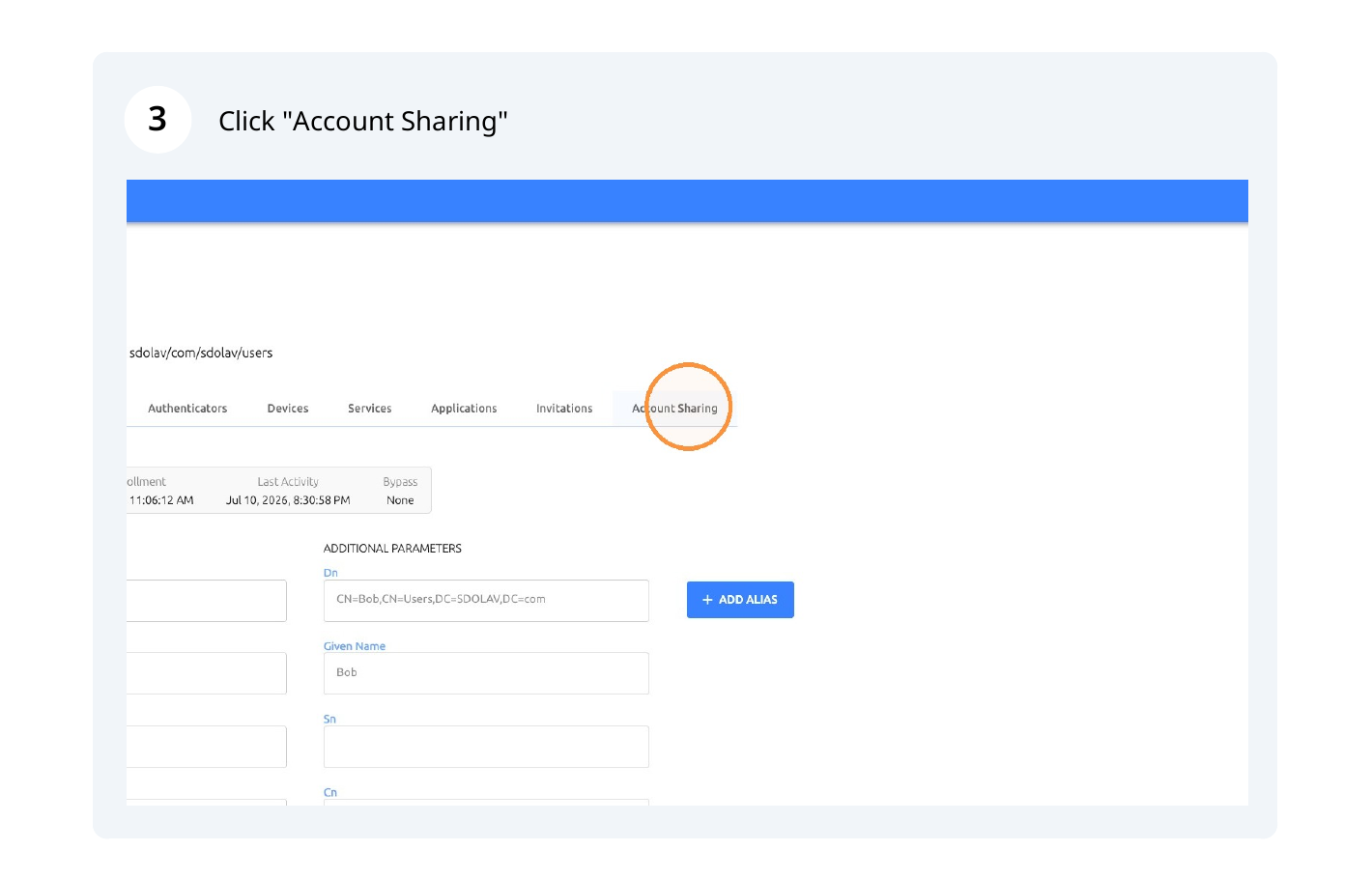
Step 3: Click "Account Sharing".
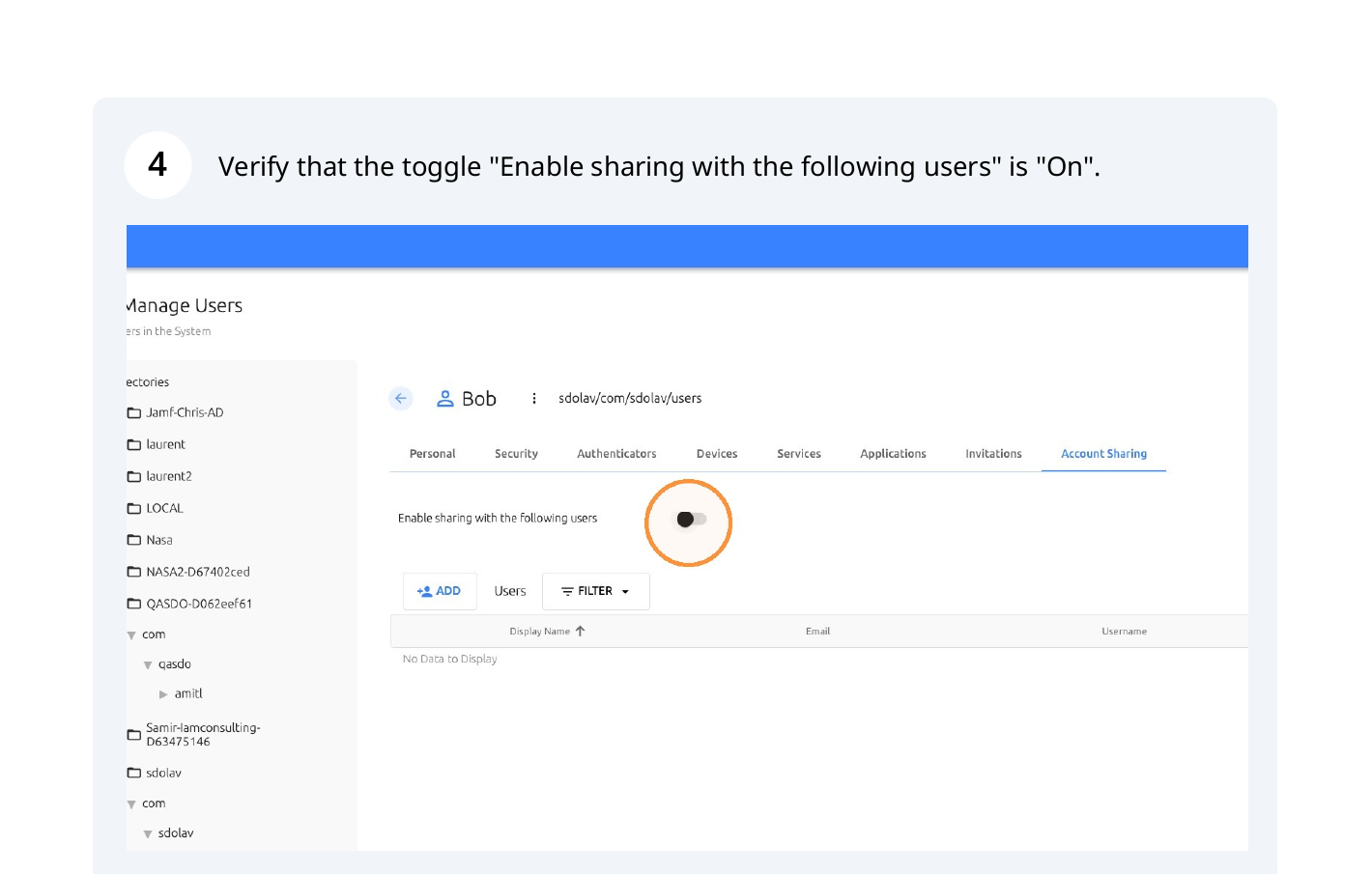
Step 4: Verify that "Enable sharing with the following users" is turned on.
Step 5: Click "ADD" if the guest user is not already on the list.
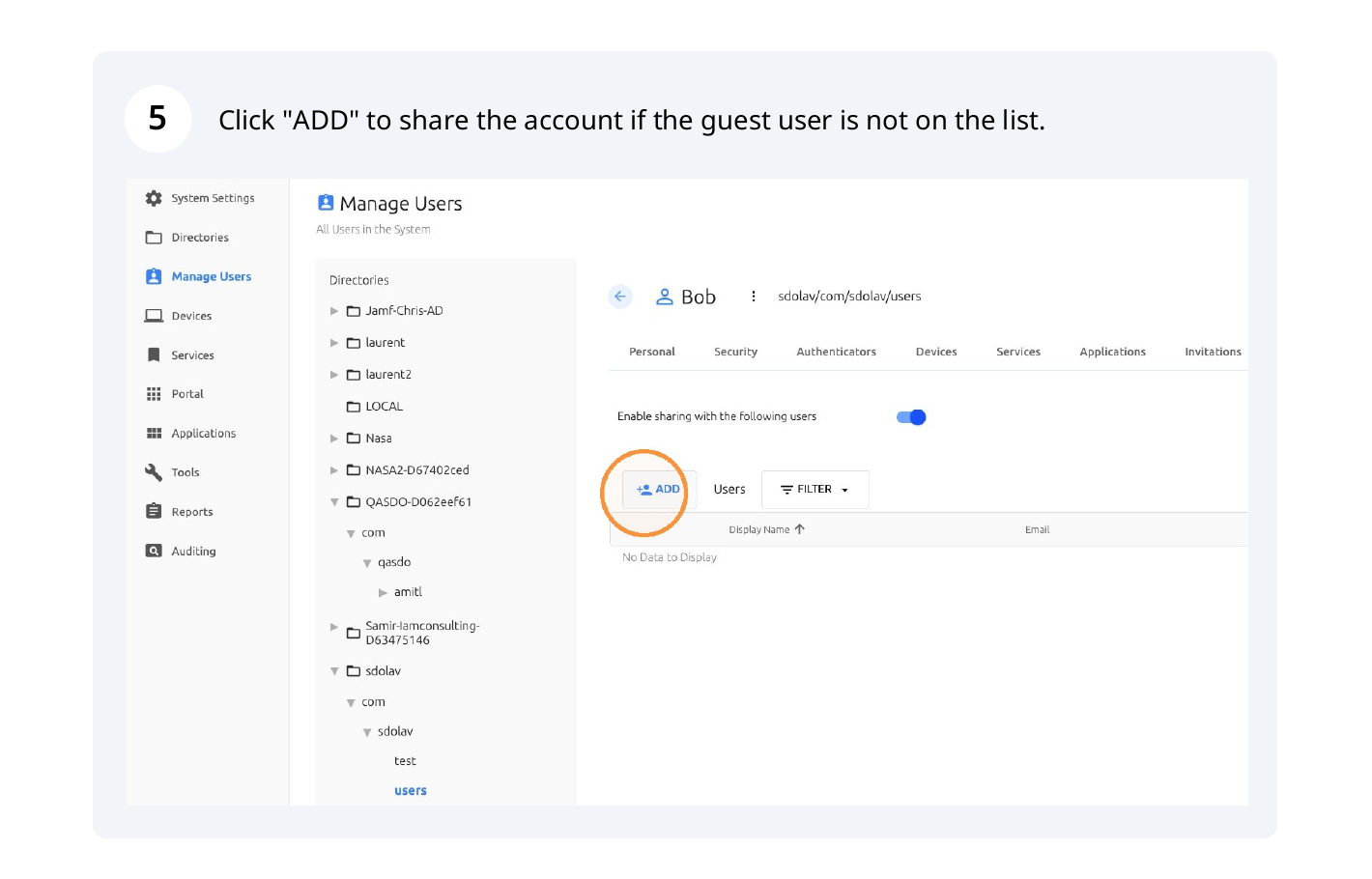
Step 6: Expand the required directory tree.
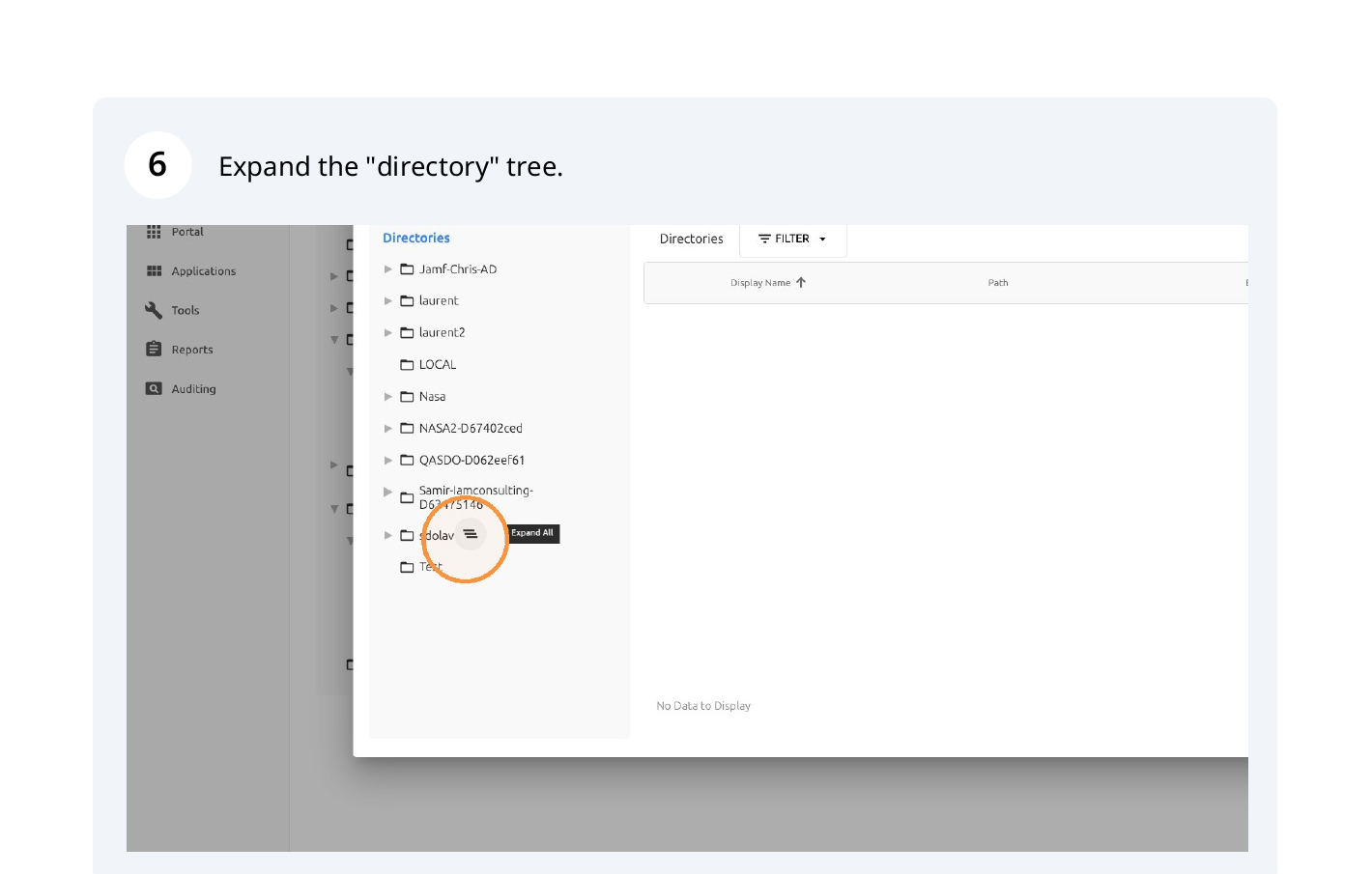
Step 7: Select the guest user from the list.
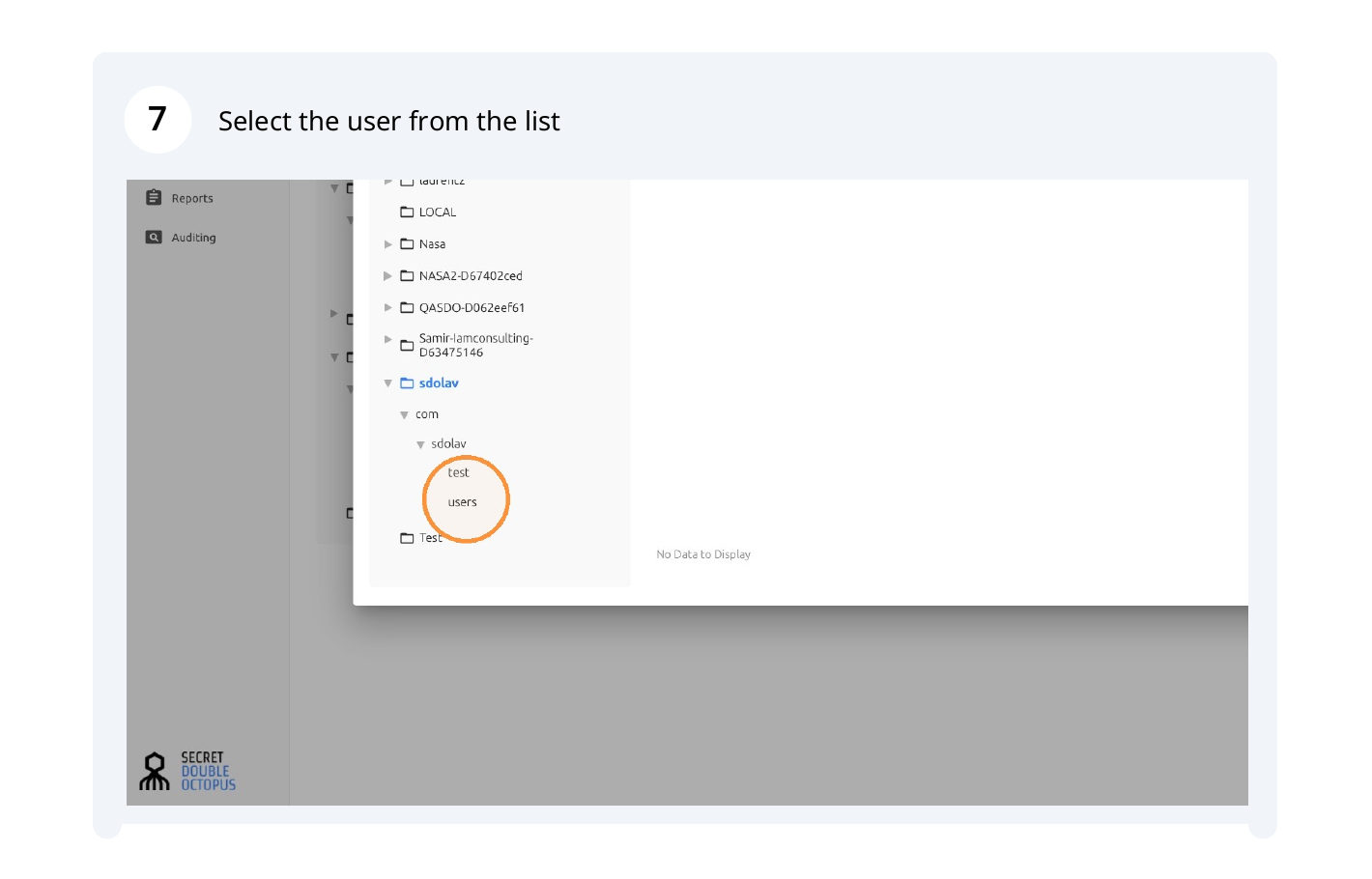
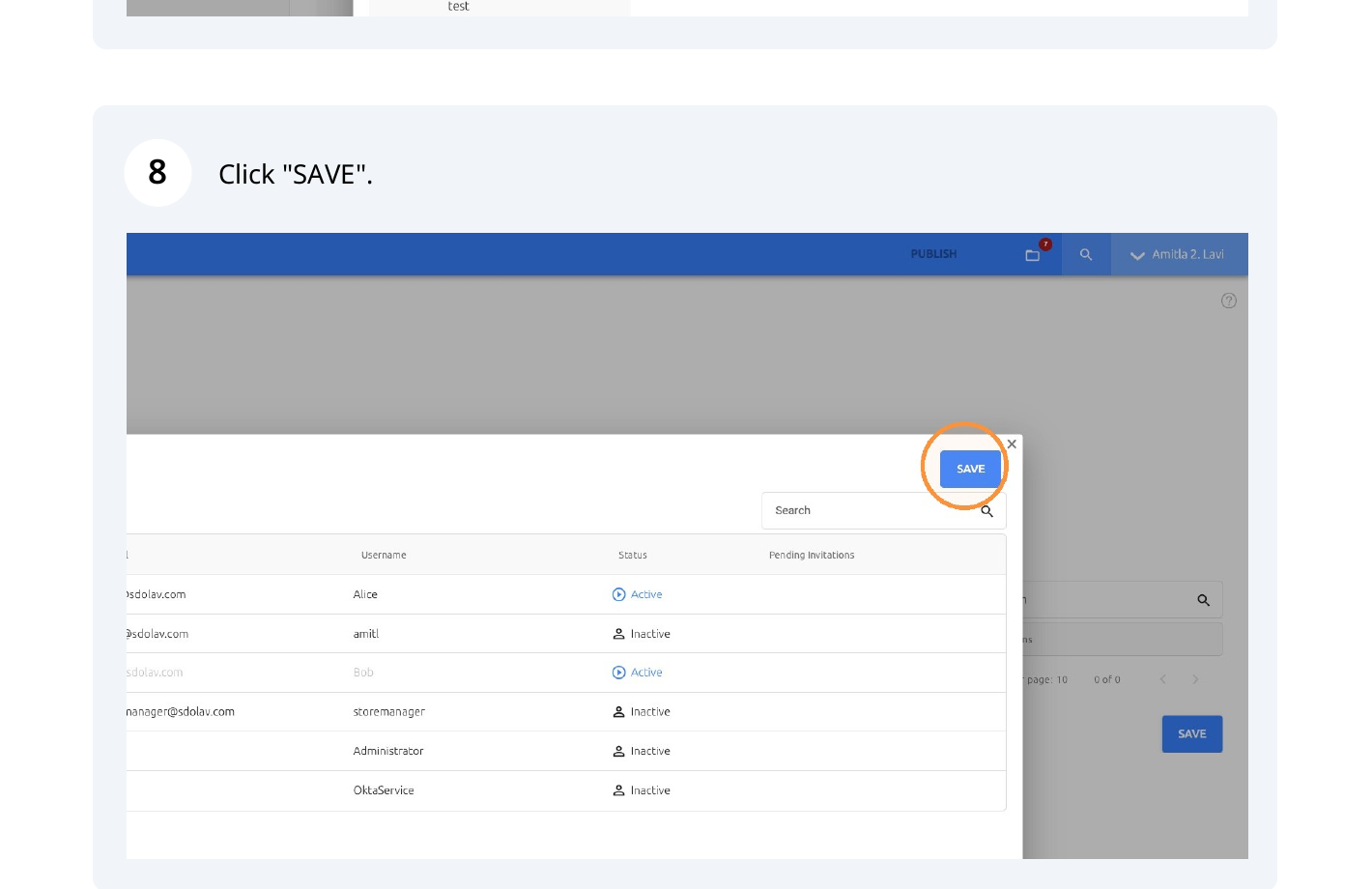
Step 8: Click "SAVE".
Service Sign-on Configuration
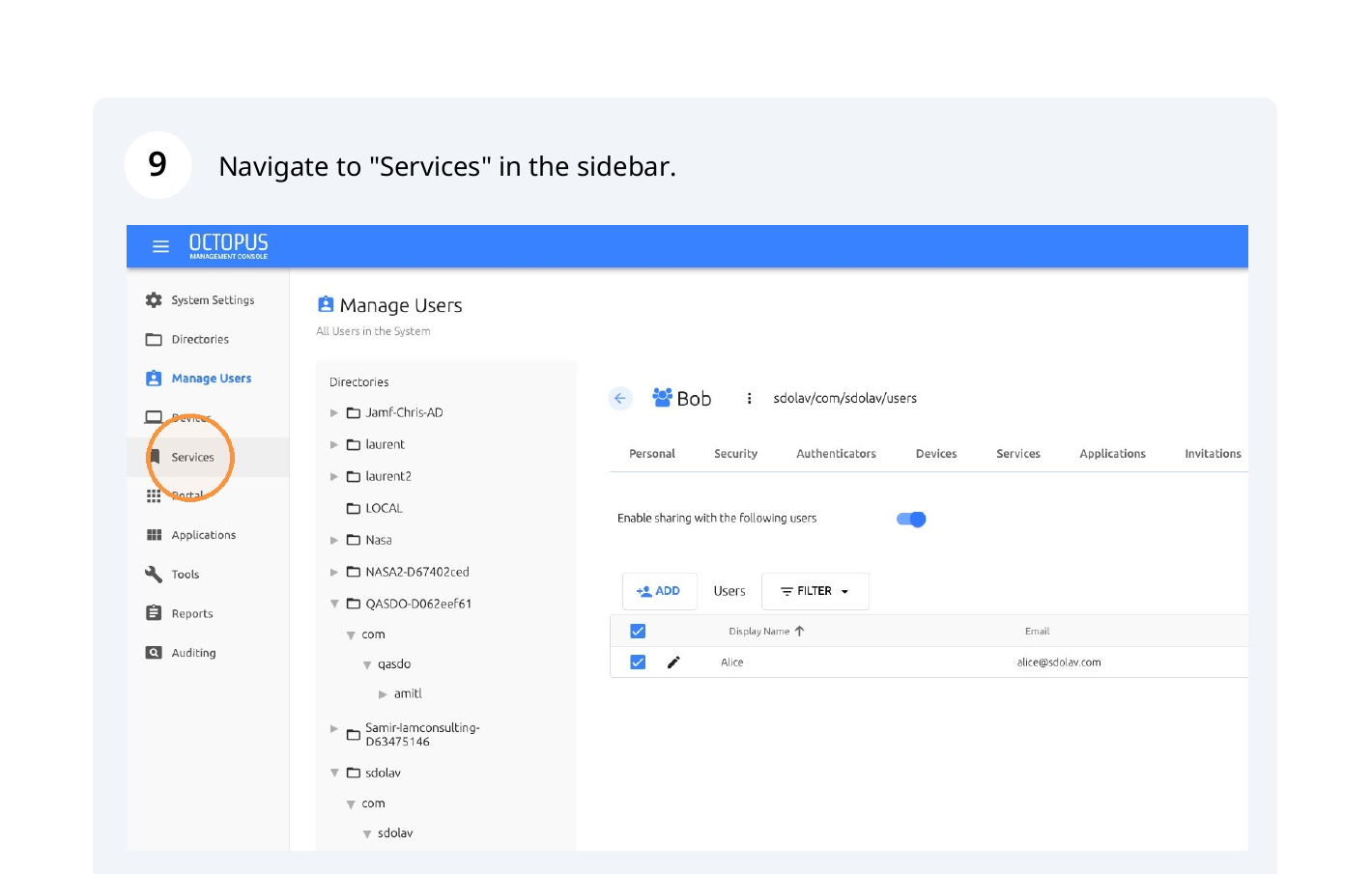
Step 9: Navigate to "Services" in the sidebar.
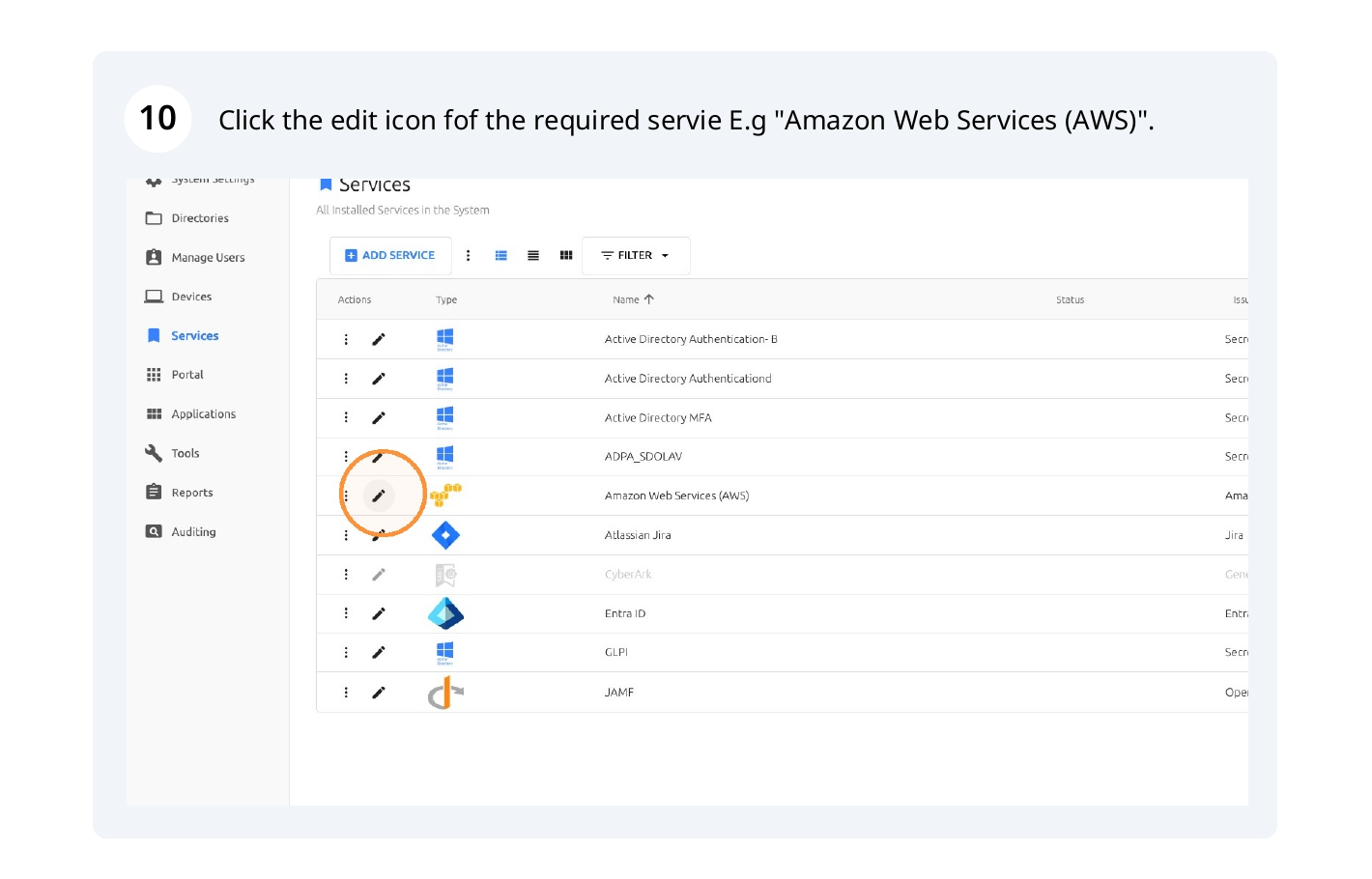
Step 10: Click the edit icon for the required service, for example "Amazon Web Services (AWS)".
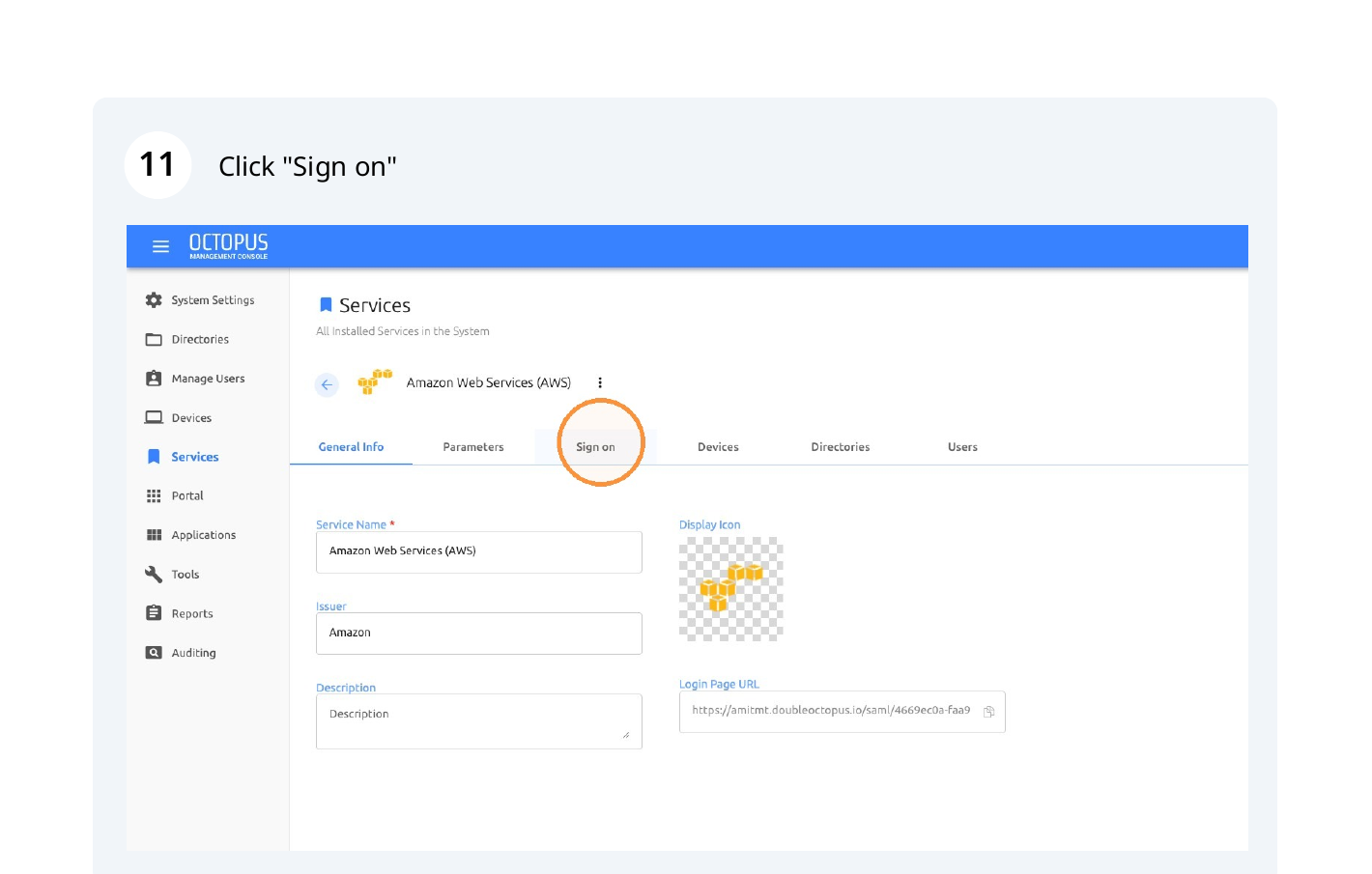
 Step 11: Click the "Sign on" tab.
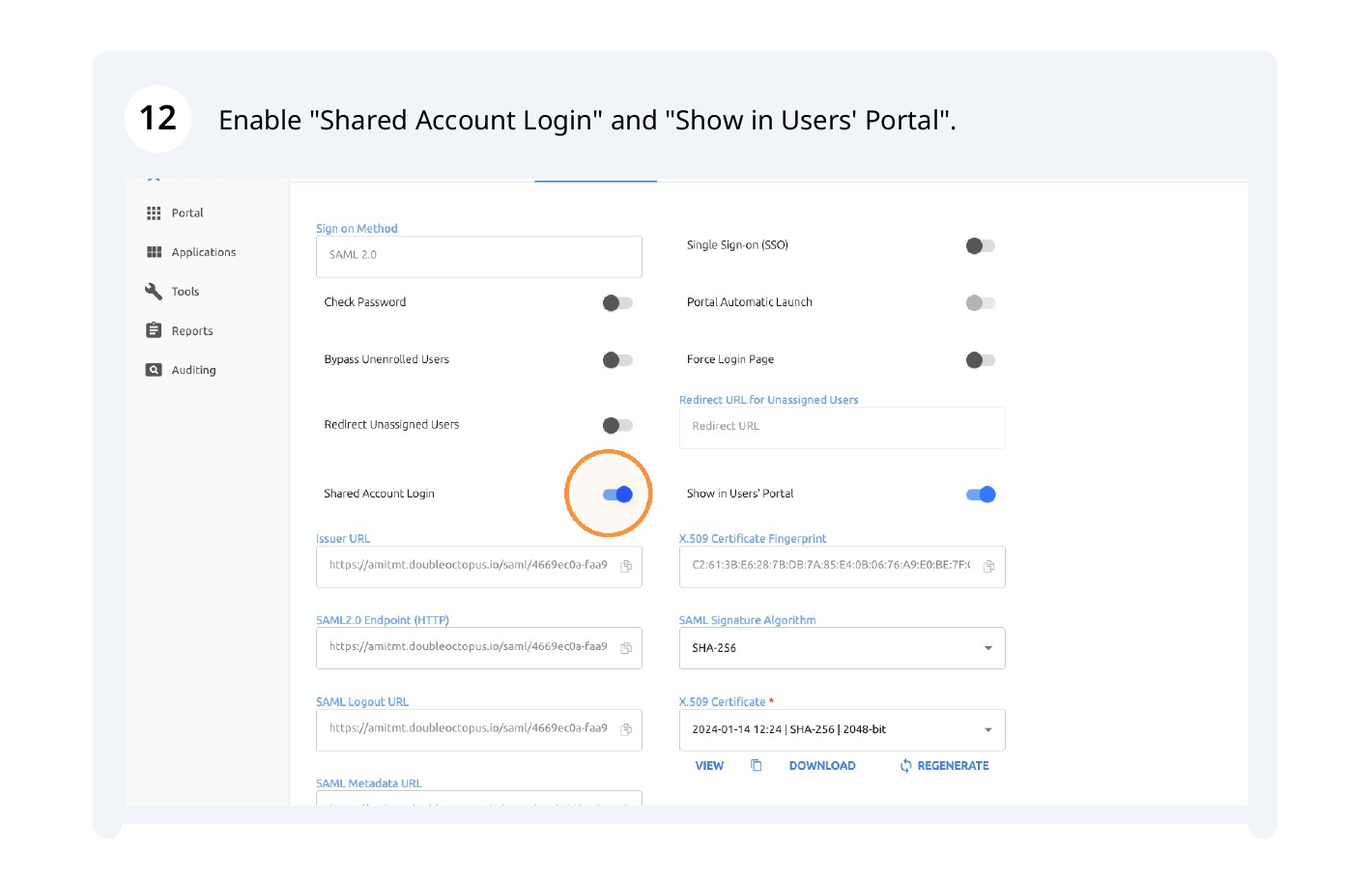
 Step 12: Enable both "Shared Account Login" and "Show in Users' Portal".
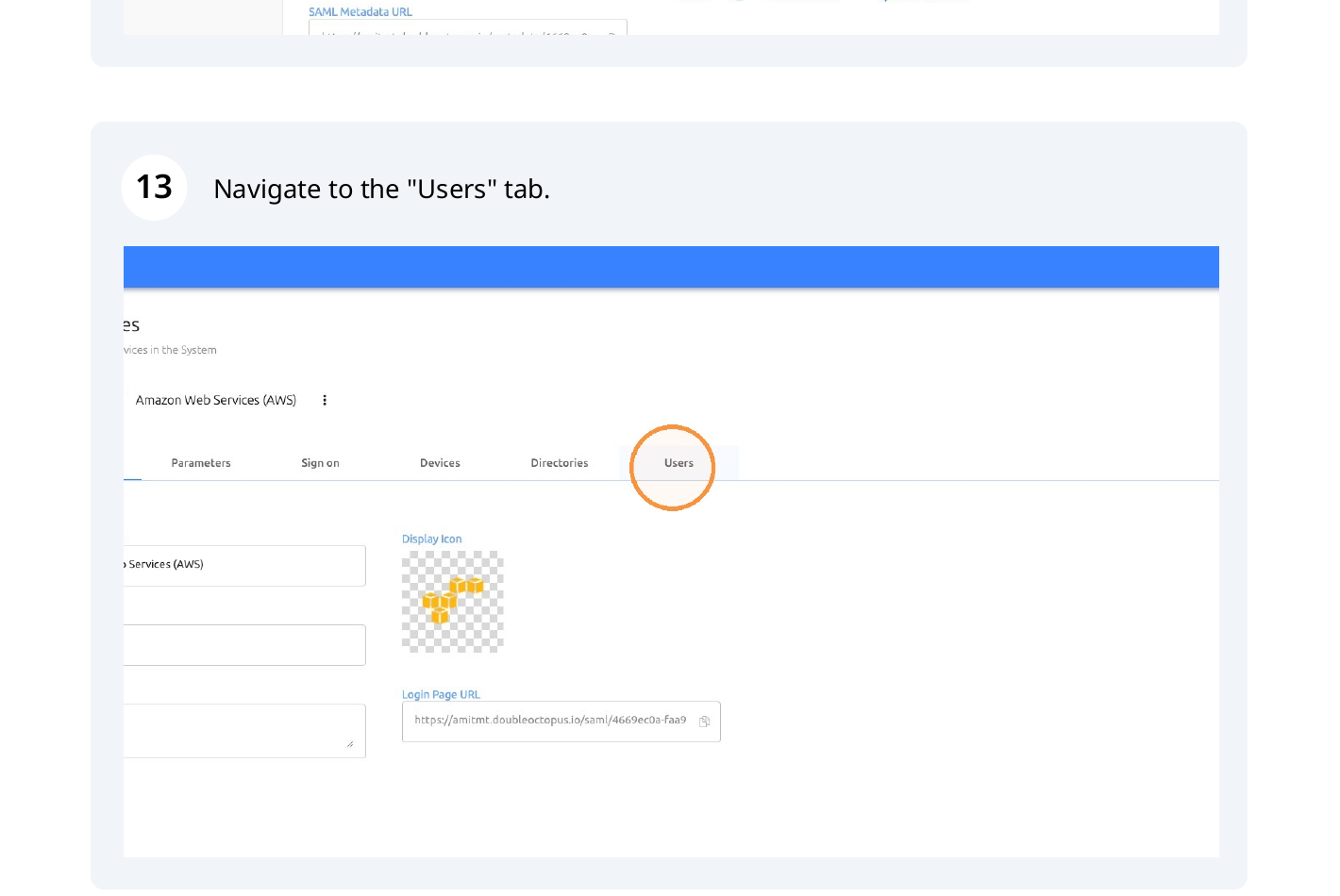
Step 13: Navigate to the "Users" tab.
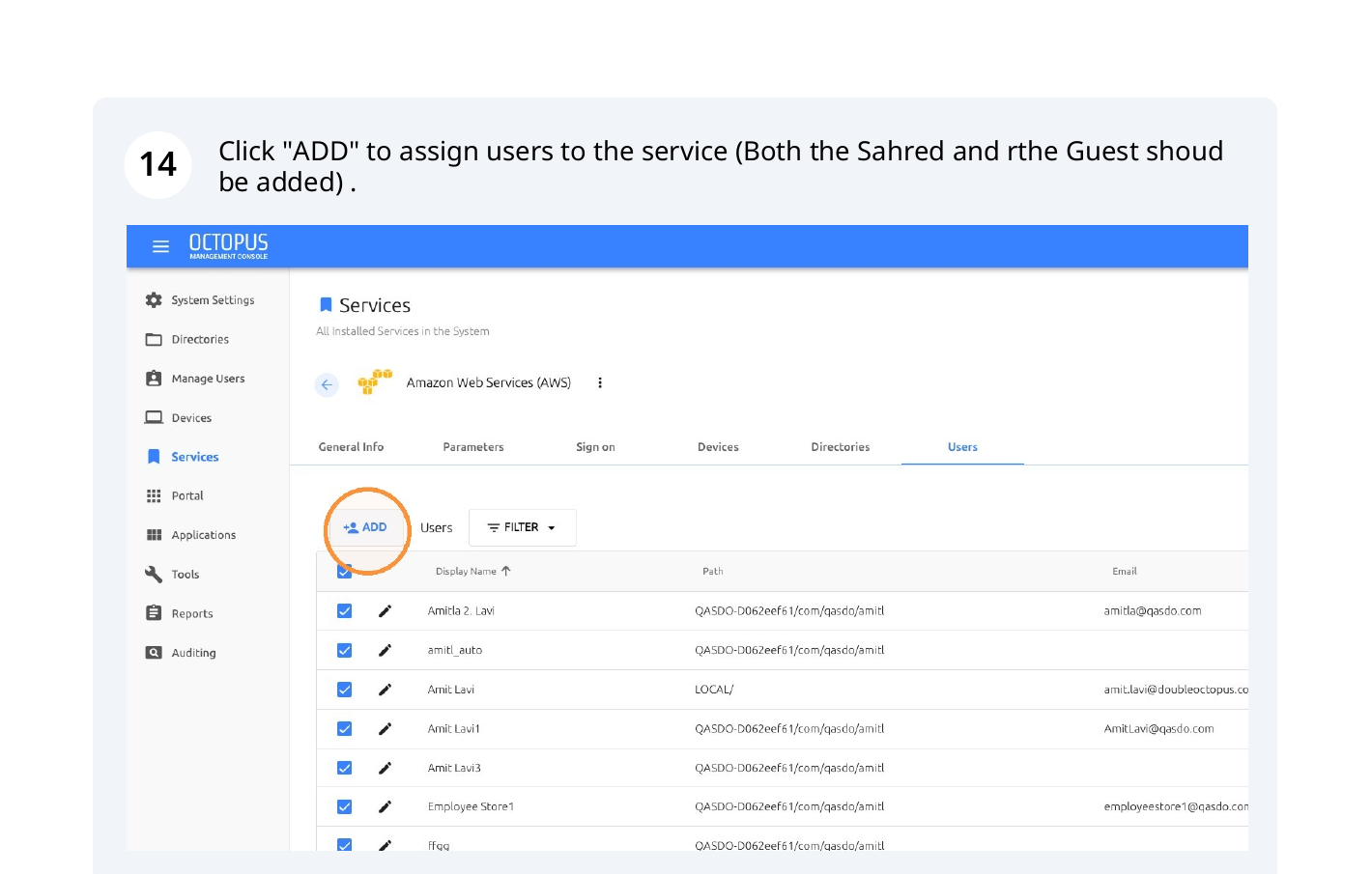
Step 14: Click "ADD" and assign both the shared-account owner and the guest user to the
service.
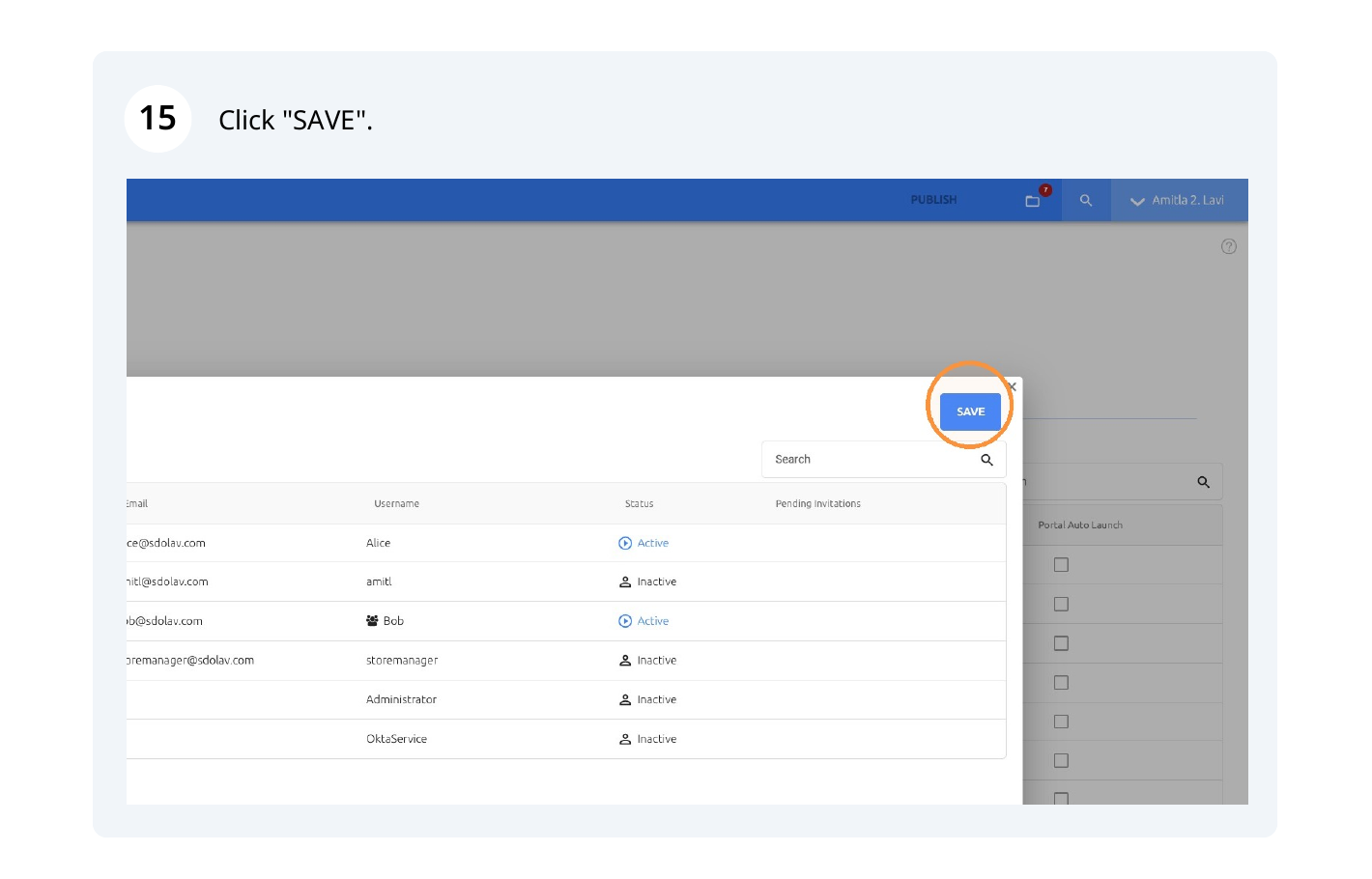
 Step 15: Select the required users and click "SAVE".
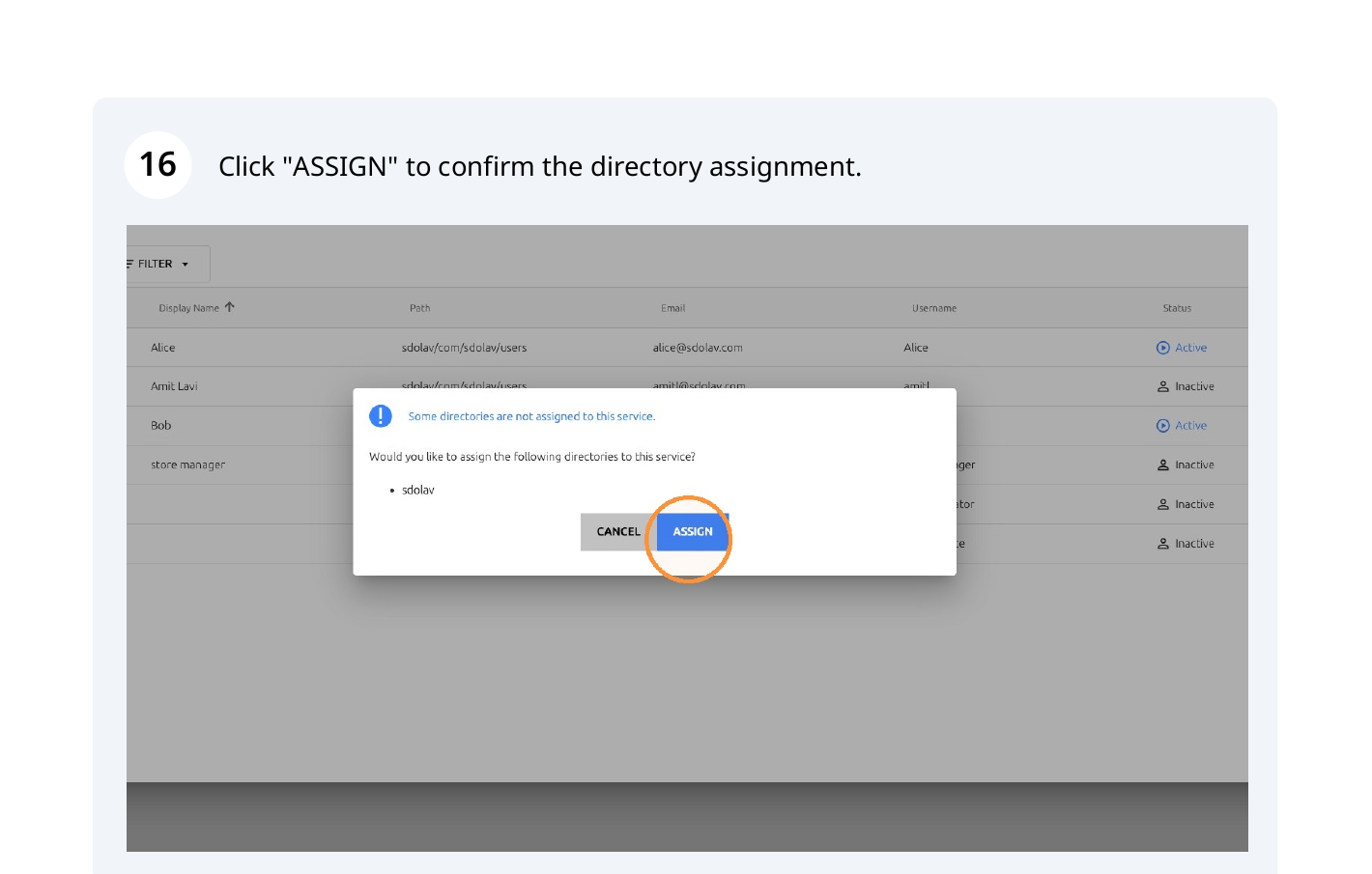
Step 16: Click "ASSIGN" to confirm the directory assignment.
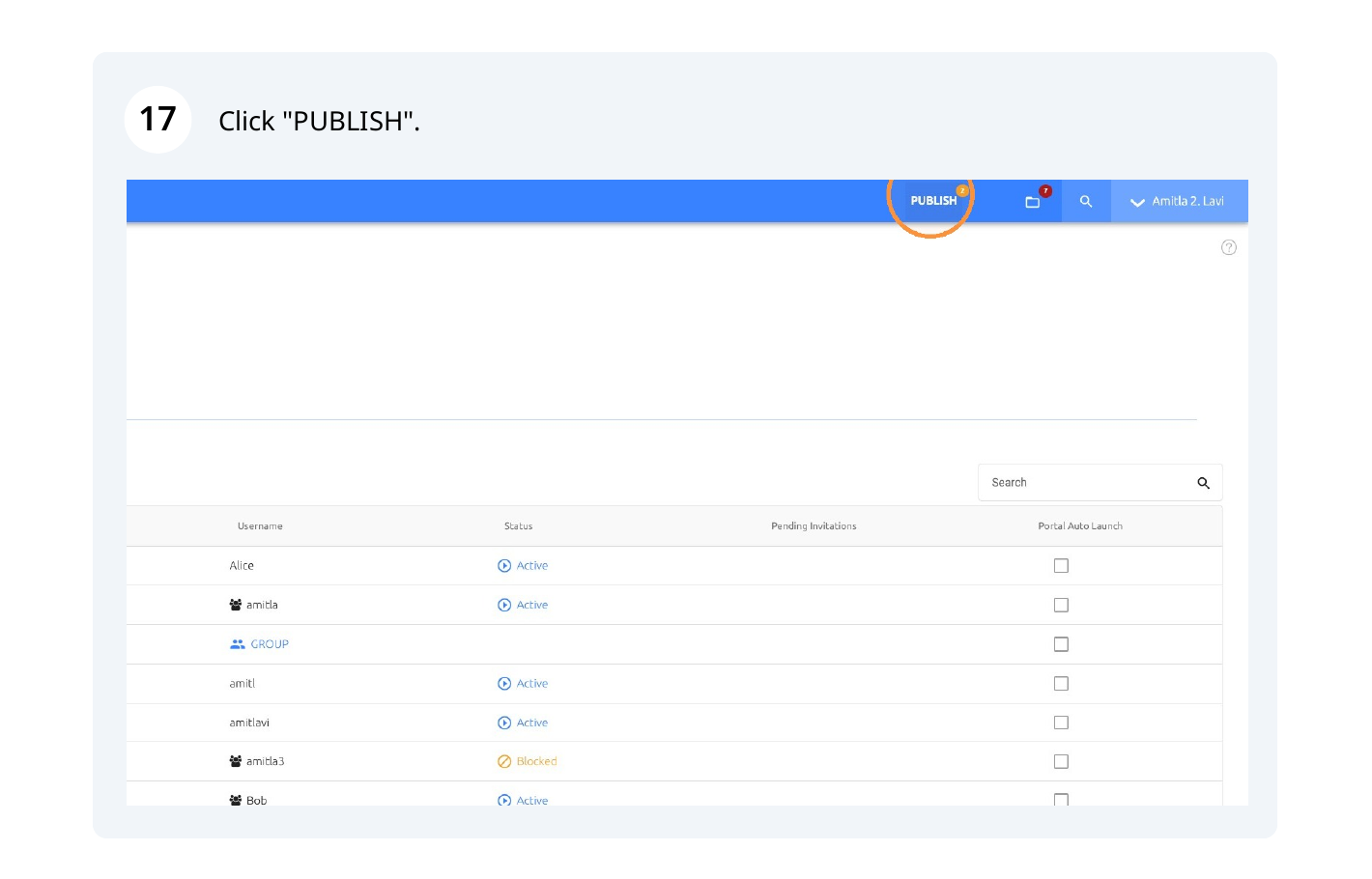
Step 17: Click "PUBLISH" to apply the configuration.
Note: The source guide contains 17 configuration checks. If the issue persists, collect the service name, shared-account owner, guest user, assignment status, and relevant logs before escalating.